
De-Slopify Windows 11 - REMOVE AI in 5 Minutes
🛍️ Products Mentioned (22)
My first choice, use LTSC
Use O&O ShutUp10++
a better start menu without web results
Bring back Classic Paint (mspaint)
Notepad++ (way more features, great for programming)
Metapad (like a better version of the Windows 7/Aero notepad)
Akelpad (small, simple, and fast)
I use RetroBar to replace my taskbar
My RetroBar dark themes
My powershell script to remove all this ai stuff is on Tek Syndicate
Epicpants Product
Zweihander Product
Teksyndicate Product
Bluesky
Twitch
Fediverse
Discord
great deals on Windows 11 CDKeys or buy Windows 10 Pro OEM keys at
Windows 11 Pro – $23
Windows 11 Home – $22
Windows 10 Pro – $17
Office 2016 Pro – $29
Whokeys Back to School Sale - 25% Off with Code: TS25 Windows 11 Pro – $23: https://biitt.ly/Bfj6E Windows 11 Home – $22: https://biitt.ly/gHG0u Windows 10 Pro – $17: https://biitt.ly/XNQ7G Office 2016 Pro – $29: https://biitt.ly/dtNvb Get great deals on Windows 11 CDKeys or buy Windows 10 Pro OEM keys a: https://whokeys.com ---------------------------- 🛒 https://epicpants.com 🎵 https://zweihander.com 💻 https://teksyndicate.com 🎮 Gaming Channel: https://youtube.com/@easymode -------------------------- If you're like me, you're sick of these sociopathic dweebs shoving their ai slop down your throat. We don't have to take it... and there are a few easy things you can do to get the ai out of your Windows 11 installation. Here are the meaty links: Check out CyberCPU Tech's video on this: https://www.youtube.com/watch?v=0YLfE76k9z8 My first choice, use LTSC: https://teksyndicate.com/switch-to-windows-10-ltsc-heres-how-i-set-it-up/ Windows 11 LTSC vs Windows 10 LTSC Gaming Battle: https://www.youtube.com/watch?v=bValhYdrATw The Basic Method to remove AI Use O&O ShutUp10++: https://www.oo-software.com/en/shutup10 Then, if you want... Get a better start menu without web results: https://github.com/Open-Shell/Open-Shell-Menu Bring back Classic Paint (mspaint): https://win7games.com/#mspaint Replace notepad with one of these: Notepad++ (way more features, great for programming): https://notepad-plus-plus.org/ Metapad (like a better version of the Windows 7/Aero notepad): https://liquidninja.com/metapad/ Akelpad (small, simple, and fast): https://akelpad.sourceforge.net/en/index.php I use RetroBar to replace my taskbar: https://github.com/dremin/RetroBar My RetroBar dark themes: https://www.deviantart.com/madhale/art/RetroBar-Dark-Modes-Windows-95-2000-XP-Etc-1053142400 My powershell script to remove all this ai stuff is on Tek Syndicate: https://teksyndicate.com/de-slopify-windows-11-remove-ai-in-5-minutes/ Thanks to @CEWaffles for making a TOC: 0:00 - Intro 02:45 - Moving from Reg Windows to LTSC 04:55 - Basic Method of Removing AI Stuffs 06:40 - O&O Shutup 10 07:57 - Let's Get Nerdier 09:22 - Uninstall Paint and Notepad 10:10 - Powershell script for Disabling Stuffs 11:27 - Install Paint 12:39 - OpenShell (Windows Start Menu) 14:50 - AI Edge crap, and Removing Search and AI side bar slop (Powershell Script) 16:05 - Outro Social 🐘 Fediverse: https://easymode.im/@ward/ 🐦 Twitter: https://twitter.com/teksyndicate/ 🛸 Bluesky: https://bsky.app/profile/wardhale.bsky.social 💬 Discord: https://discord.gg/vsCxNSD 🎥 Twitch: https://www.twitch.tv/midnightdojo/ 💼 Marketing & Sponsorships For inquiries, email: inbox@teksyndicate.com We only email from @teksyndicate.com or @midnightdojo.com — beware of other addresses! As an Amazon Associate, we may earn from qualifying purchases.
🎬 More from Tek Syndicate

Did I Quit YouTube? Where Have I Been?
12.2K views
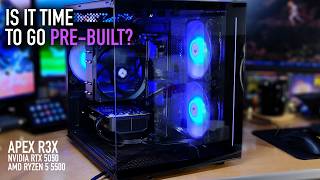
APEX RX3 Full Review, Benchmarks, & Gaming - Let's Play Awesome Stuff
3.9K views
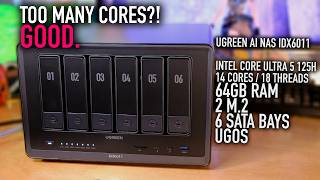
UGREEN AI NAS iDX6011 Full Overview - 14 Cores/18 Threads, 64GB RAM, 2 M.2 in a NAS!
6.5K views
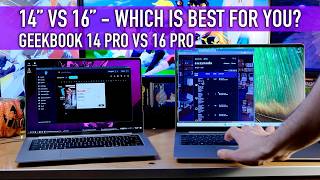
14" VS 16" Laptop: Geekom GeekBook X14 Pro VS X16 Pro - Which is for you?
2.8K views

Obsbot Tiny 3: The Best Streaming Camera Ever. Replace Your DSLR
4.2K views

TP-Link BE9700 (Archer BE600) WiFi 7 Router for Under $250
6.7K views