
How To Install SteamOS on ROG Ally X (And Why You Should) * FULL TUTORIAL *
🛍️ Products Mentioned (10)
SteamOS recovery image
Rufus
Decky Loader
Patreon
Accessories (like SD cards) through Amazon
Anbernic Handhelds
Handhelds from LITNXT
My site
Aries Beats
Source
Ready to ditch Windows and unlock the full potential of your ROG Ally or Ally X? In this step-by-step guide, I’ll show you exactly how to install SteamOS — the official OS from Valve — on your handheld device. No more clunky menus, power-hungry background apps, or clumsy desktop interfaces. Just pure, console-like gaming. Links mentioned: 🔗 SteamOS recovery image: https://shorturl.at/Bx5ne 🔗 Rufus: https://rufus.ie/en/ 🔗 Decky Loader: https://decky.xyz/ PowerShell Commands: manage-bde -status Disable-BitLocker -MountPoint "C:" manage-bde -off C: ▬ Ways To Support This Channel: ▬▬▬▬▬▬▬▬▬▬ Patreon: https://patreon.com/Techcravers Become a member of the channel to gain access to several benefits: https://youtube.com/c/techcravers/join Buy Accessories (like SD cards) through Amazon: https://amzn.to/3WEdbL5 Buy Anbernic Handhelds: https://shorturl.at/knTX2 Buy Handhelds from LITNXT: https://shorturl.at/zBITX ▬ Contents of this video ▬▬▬▬▬▬▬▬▬▬ 00:00 – Intro: Why Windows Just Doesn’t Work on Handhelds 01:08 – Before You Start: What You’ll Need 01:37 – Create a SteamOS USB Installer (The Right Way) 03:19 – Access BIOS & Disable Secure Boot (Quick Guide) 04:33 – BitLocker Recovery Screen? Here’s How to Fix It 06:46 – Boot From USB & Launch SteamOS Installer 07:55 – Wipe Windows & Fully Install SteamOS 08:47 – Log In to Steam — You’re Almost There 09:03 – SteamOS Is Live! First Steps You Should Take 09:26 – Switch to SteamOS Beta Channel for Better Support 10:17 – Bonus Round: Must-Have Plugins for a Better Experience 10:32 – Decky Loader: Unlock SteamOS Customization 11:04 – SimpleDeckyTDP: Take Full Control of TDP Settings 11:26 – HueSync: Bring Back RGB Lighting on Your Sticks 11:48 – CSS Loader: Total Visual Customization 12:14 – SteamGridDB: Fix Missing Box Art on Non-Steam Games 12:41 – Why I Switched to SteamOS (And Why You Might Want To) 14:07 – Final Thoughts & Wrap-Up 👍 Like 🖋️ Comment 🔔Subscribe ▬ My Setup ▬▬▬▬▬▬▬▬▬▬ Camera: Panasonic Lumix s5II Computer: https://youtu.be/1JL_N-HBOGI ➤ My site: http://www.techcravers.net ➤ Music: Aries Beats https://free-songs.de/free-music/ ➤ Music track: Digital Flow by Aventure Source: https://freetouse.com/music 📢 Disclosure: Some of the links on this channel are affiliate links. This means that, at no additional cost to you, I may earn a commission if you click through and make a purchase. Thank you for supporting the channel! THIS VIDEO IS FOR EDUCATIONAL PURPOSES ONLY! #steamos #rogally #steamdeck
🎬 More from TechCravers

Steam Deck Emulation Guide 2026 – The Ultimate Setup Tutorial
8.8K views
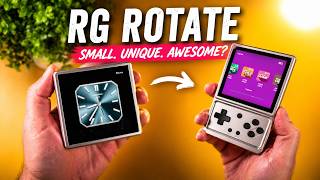
THIS Handheld ROTATES!
1.2K views

Belkin Charging Case Pro Review — The ONLY Switch 2 Case You Need?
1.7K views

This Fixes the RG Vita… (Vita Pro Review)
5.2K views

How to Get the BEST Pokémon INSTANTLY in Pokémon Champions
2.2K views

The Perfect Retro Handheld… Almost
3.5K views