
Spot Spotify Bot Playlists Before They Remove Your Song
🛍️ Products Mentioned (3)
Spotify bot playlists can put your music at risk, even if you never paid for fake streams. In this video, I show you how to spot suspicious Spotify playlists, check for fake streaming patterns using data tools, and report malicious placements before they cause problems with your distributor. You’ll learn how to check your Spotify for Artists data, spot red flags like sudden stream spikes with no saves or followers, use playlist checker tools to investigate suspicious growth, and report a playlist properly so there’s a record that you acted quickly. This is especially important now that distributors are becoming more aggressive about artificial streaming flags. A fake playlist can lead to songs or releases being removed, so it’s worth checking your data before it becomes a bigger issue. Useful links: Spotify playlist reporting: https://artists.spotify.com/c/playlist-reporter SubmitHub Playlist Checker: https://www.submithub.com/playlist-checker PlaylistSupply bot checker: https://playlistsupply.com/SMM (comment for a 5% discount) Protect your music, check your playlist sources, and don’t ignore suspicious Spotify stream spikes. #SpotifyMarketing #SpotifyForArtists #MusicMarketing #SpotifyPlaylists #ArtificialStreaming
🎬 More from Spotify Music Marketing

Do This if a Random Playlist Adds Your Spotify Song
33 views

The New PlaylistSupply: How to Find Real Playlists (Fast!)
146 views

How To Upload Music to Spotify with Ditto Music (2026 Tutorial)
266 views
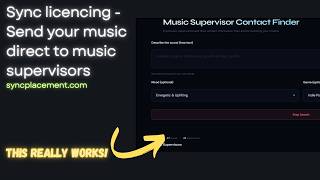
SyncPlacement.com – Find Music Supervisors & Land Real Placements
352 views
PlaylistSupply - YouTube Playlist Search Is Finally Here
1.8K views
How I Find Playlists and Get My Music Heard (No Label Needed)
483 views