
SolarWinds ESM | See How Finance Can Gain Control and Visibility Over Spend
🛍️ Products Mentioned (1)
Welcome back to the SolarWinds ESM (Enterprise Service Management): Service Delivery for Every Department training series! In this video, we’ll show you how to create a Finance service catalog in SolarWinds Service Desk — including how to build workflows, configure input fields, and integrate seamlessly with third-party applications like DocuSign and Coupa. You’ll learn how to: ✅ Create and configure new Finance catalog items from the Service Catalog module ✅ Define input fields, categories, and delivery details for Finance requests ✅ Automate workflows with multi-step processes, approvals, and condition sets ✅ Use process integrations to connect with external tools such as Coupa or DocuSign ✅ Schedule recurring requests for ongoing or periodic financial processes Whether your Finance or Payroll teams handle invoice approvals, expense reimbursements, or payment requests, this video will show you how to automate repetitive processes, reduce manual work, and increase visibility across your Finance operations — all from one centralized platform. #SolarWinds #ServiceDesk #EnterpriseServiceManagement #ITSM #FinanceServiceManagement #WorkflowAutomation #ProcessIntegration #DigitalTransformation #SolarWindsESM Connect with SolarWinds: THWACK IT Community: http://thwack.solarwinds.com/ Facebook: https://www.facebook.com/SolarWinds LinkedIn: http://www.linkedin.com/company/solarwinds Instagram: http://instagram.com/solarwindsinc/
🎬 More from solarwindsinc
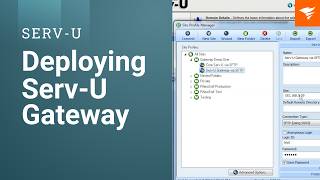
How to Deploy Serv-U Gateway to Achieve Secure File Transfer in DMZ
12 views
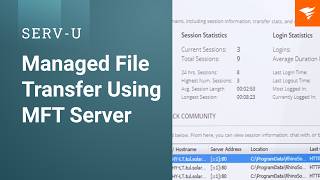
Managed File Transfer Using Serv-U MFT Server
11 views
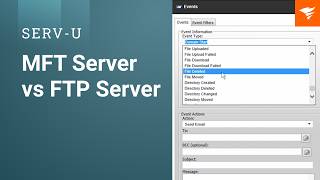
ServU Benefits of ServU MFT Server over FTP Server final
19 views

SolarWinds World Tour | Johannesburg 2025 Recap
30 views

Movies and Mainframes - Weird Science (1985)
23 views

AI Powered IT Operations & Autonomous Resilience | Full SolarWinds Day Q2 2026 Event Replay
87 views