
🚀 Build Home Assistant Automations in Seconds! with AI 🤖
🛍️ Products Mentioned (18)
Tinyurl Product
Join us on Discord
Become a channel member
PayPal Donation
Me A Coffee
Reolink App (Android) - Android
Reolink App (Apple)
Synology NAS (Amazon)
Reolink E1 Pro
Reolink E1 Zoom
Home Hub
Home Hub Pro
Aosu IndoorCam P1
Reolink Desktop Application
Reolink Firmware
Reolink Home Hub Camera compatibility List
Reolink Home Assistant Integration
GitHub Repository
🔥 In this game-changing video, I'll show you how to use AI to create Home Assistant automations—no coding required! Say goodbye to manually writing YAML and let AI do the work for you! 🏡✨ 💡 In just 10 minutes, you'll learn: ✅ How AI can generate automations from simple text prompts 📝 ✅ Step-by-step setup guide using ChatGPT (or any LLM) ⚙️ ✅ Two real-world automation examples 🚶♂️➡️💡 & 📸➡️📱 ✅ How to refine & tweak AI-generated YAML for perfect results 👌 📢 Don't Miss Out! 👍 Like this video if you found it helpful! 👍 📩 Subscribe for more smart home content – https://tinyurl.com/5n8h5dft 🚀 🎮 Join us on Discord - https://discord.gg/zEB633Dv 🎮 🔔 Hit the bell icon so you never miss an update! 🔔 ___💙 Want to support the channel ___ ➡️ Become a Member for exclusive perks & early access! 🔥 🙏 Become a channel member - https://tinyurl.com/y7z464jv 🙏 ____ ☕ Buy Me A Coffee! ☕ ___ PayPal Donation - https://www.paypal.com/donate/?hosted_button_id=AHZFTRKKUCU2W Buy Me A Coffee - https://tinyurl.com/4sy69eds #HomeAssistant #SmartHome #AI #ChatGPT #AutomationHOME ___ 🕒📩 Timestamp 🕒📩 ___ 00:00 - Introduction 00:45 - Preparation 02:13 - Scenario 1 - Simple Automation 05:59 - Scenario 2 - Complex Automation 08:52 - Conclusion ___ 👋 Handy Dandy Information 👋 ___ Reolink Home Hub Review - https://youtu.be/-4rXg-69qWw Scenario 1 Prompt create a single home assistant automation that will trigger if motion is detected from an aqara p1 motion sensor, entity XXX, with condition of 15 m minutes before sunset and 15 minutes after sun rise, and will turn on a light, entity YYY. Turn off the light if motion is not detected for 10 minutes. Scenario 2 Prompt create a home assistant automation, that will trigger when a person is detected, entity binary_sensor.front_door_bell_person, the automation should take a snapshot with the front door camera, entity camera.front_door_bell_fluent, and store the image in the /config/www/temp/doorbell_snapshot.jpg file. It should also announce on the study Alexa, entity media_player, that a person has been detected, then send the picture to paul’s_iphone along with the message that a person has been detected at the front door. ___ 🔗 Affiliate Links 🔗 ___ Synology NAS (Amazon) - https://amzn.to/4hBQVJ8 Reolink 5% Discount Code *smart_home_australia*, on all products Reolink App (Android) - Android - https://tinyurl.com/y25rkf3v Reolink App (Apple) - https://tinyurl.com/3hpa9pv4 Reolink Home Hub Review - https://youtu.be/-4rXg-69qWw Reolink Camera Setup - https://youtu.be/M6V72yLTfm0?t=408 Reolink App Features - https://youtu.be/M6V72yLTfm0?t=546 Reolink E1 Pro - https://tinyurl.com/4jp3yy8f Reolink E1 Zoom - https://tinyurl.com/ycyv5avf Home Hub - https://tinyurl.com/2d9zb4vy Home Hub Pro - https://tinyurl.com/wsf6u3vv Aosu IndoorCam P1 - https://tinyurl.com/2vefdnpp Reolink Desktop Application - https://reolink.com/ie/software-and-manual/ Reolink Firmware - https://reolink.com/ie/download-center/ Reolink Home Hub Camera compatibility List - https://urlday.cc/gwylg Reolink Home Assistant Integration - https://tinyurl.com/yhyzebaw GitHub Repository - https://github.com/starkillerOG/reolink_aio The site receives a small commission if you order from any of the links above. This does not cost you anything and is paid by the supplier.
🎬 More from Smart Home Australia
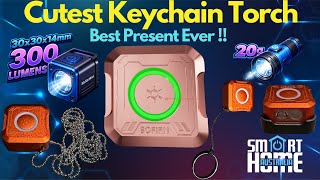
Sofirn SE1 Review: Tiny 300 Lumen EDC Keychain Light with UV & RGB
200 views
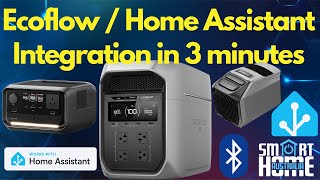
EcoFlow & Home Assistant Integration: Fast Bluetooth Setup Guide
326 views
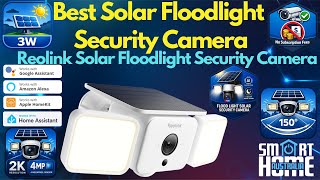
Reolink Solar Floodlight Cam Review: 2K Solar Security Camera with AI Detection & 1000 Lumens
171 views
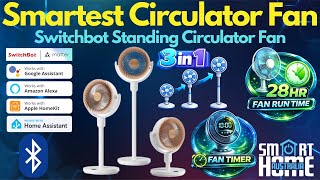
SwitchBot Smart Stand Circulator Fan Review | Matter Setup, Battery Life & Home Assistant
742 views
Ottocast Cabin Care Review: Wireless CarPlay + Rear Seat Baby Monitor Tested
1.2K views
iGarden K60” to “iGarden Pool Cleaner K series
398 views