
Xtool Creative Space: The Basics Anyone Can Learn | Your First Project!
🛍️ Products Mentioned (9)
StudioKolomna
My xTool Affiliate Link
Amazon Product
Creative Fabrica
You can also find me in Patreon,. Check out my first post there!
You can buy me coffee
xTool S1 40W
3mm
5mm
In this beginner-friendly laser project, I’ll show you how to create a custom "Follow Us" social media card using the xTool S1 and xTool Creative Space (XCS) software. This project is perfect for learning key techniques like cutting, engraving, and scoring on 3mm plywood, all in one simple, functional design. And the best part? You can actually make something that you will use! #xtools1 #laserengraving #diodelaser #woodshop #woodworking #laserengraving #DIY #DiodeLaser #LaserEngravingTips #DiodeLaserProjects #LaserDIY #LaserCrafts MORE LASER ENGRAVING HERE 👉 https://www.youtube.com/playlist?list=PLOc0ls6VzQ6ygWNgacHZbUYLER0Qk2K9h -------------------- Music: StudioKolomna https://audiojungle.net/user/studiokolomna -------------------- PRODUCTS MENTIONED IN THE VIDEO 🛒 🛒 My xTool Affiliate Link: https://www.xtool.com/?ref=xlrxcjfb&utm_medium=affiliate&utm_source=goaffpro&utm_term=5306 ⚡xTool S1 40W: https://www.xtool.com/?ref=xlrxcjfb&utm_medium=affiliate&utm_source=goaffpro&utm_term=5306 🚨 My Amazon Store (Affiliate Links): https://amzn.to/3YBoZ0M ✅xTool S1 40W: https://amzn.to/4ifG8VG -------------------- THE IMAGES I USE FOR MY ENGRAVINGS📸: 🚨 CREATIVE FABRICA (Affiliate Links) 🖼️Check out Creative Fabrica: https://tinyurl.com/45pd7ern 🖼️Picture Stands: 3mm: https://tinyurl.com/4xetra8h 5mm: https://tinyurl.com/5n7u323x -------------------- LETS BE FRIENDS! ❤️ Subscribe :: https://www.youtube.com/@severnabuilds?sub_confirmation=1 Instagram :: https://www.instagram.com/severnabuilds/ Facebook :: https://www.facebook.com/severnabuilds SUPPORT: 🥇 You can support me by joining me here on Youtube, click the join button above and pick the tier that works best for you! OR follow this link 🙏 : https://www.youtube.com/@severnabuilds/join 🥇 You can also find me in Patreon,. Check out my first post there!: https://www.patreon.com/posts/why-im-here-and-126964800 🥇 You can buy me coffee here 🥰 https://buymeacoffee.com/severnabuilds 👉 WHAT'S IN THE VIDEO: 00:00 The Intro 00:52 XCS 01:17 New Project 03:03 Creative Fabrica 04:42 Importing Logos 05:39 QR Codes 08:02 Take it Further 11:31 The Settings 13:23 Material Testing 14:03 My Settings 15:03 Engraving & Cutting 15:34 Closing 16:18 THE END THE FINE PRINT! 🔎 Some of the links above are affiliate links, which means if you click and make a purchase, I earn a small commission—at no extra cost to you. As an Amazon Associate or Creative Fabrica Affiliate Program, I earn from qualifying purchases, and every little bit helps keep this channel running and the videos coming. So, if you do use the links—thank you! You’re basically fueling my caffeine addiction and my passion for making more great content! Also, some products might not be available in your area. If that happens, I do the research, read the reviews and find the best comparable product, with the highest reviews and purchase counts and update the links for you.
🎬 More from Severna Builds
xTool Studio 1.7 Update: Game Changer or Waste of Time?
3.1K views
3D Printing + Laser Engraving: Game Changer or Overkill?
1.9K views
3D Printer and Laser Engraver in One Shop: Game Changer or Waste?
10.5K views
Canvas Engraving Hack: Single Pass Results Revealed
4.3K views
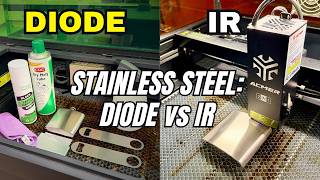
Skip the IR Laser? Diode vs Metal Engraving Reality Check
5.1K views
Coasters Engravings, Jesus Fish And More!
1.5K views