
Getting Started with Elastic APM for Java App: Elasticsearch, Kibana, APM-Server, & Tomcat Setup
Are you looking to monitor the performance of your Java applications effectively? In this video, we walk you through setting up Elastic APM for a Java application from start to finish! Learn how to: Set up Elasticsearch for data storage. Configure Kibana for visualizing application performance. Deploy and configure the APM Server to collect application metrics. Integrate Elastic APM with Apache Tomcat to monitor a sample Java application. By the end of this tutorial, you’ll have a fully functional APM stack, enabling you to monitor your application's health, troubleshoot performance bottlenecks, and gain valuable insights in real time. For Business Inquiries you can email me at: sassdrew501@gmail.com
🎬 More from sass drew

I Automated My DNS with GitLab and BIND (Here’s How)
846 views

Stop Overpaying — Self-Host This Price Tracker
7.0K views
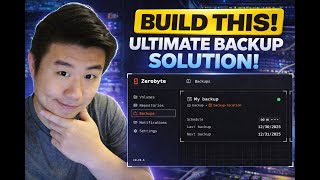
Building a Reliable Homelab Backup System with Zerobyte
3.0K views

DevOps Game-Changer: GitLab on Kubernetes Made Easy!
2.5K views

Stop Hitting Docker Hub Rate Limits! Use Harbor Proxy Cache in Kubernetes!
2.0K views

Kubernetes Ingress with Traefik & TLS – Secure Your Cluster!
2.3K views