
Email Extractor: How To Build Extractor Using Ai, No Coding Experience
🛍️ Products Mentioned (10)
ChatGPT
SERP Data Extractor
Notepad++

Python
Build Your SMTP Server


NicheMiner AI Pro (AI Social Media Leads Extractor)
Mailgrab AI (AI Chrome Extension Email Extractor)
Leadharvester PRO (Google Maps Scraper)
Email Extractor: How To Build Extractor Using Ai, No Coding Experience. Are you tired of costly or unreliable email extractors? This beginner-friendly tutorial shows you how to build a simple email extractor with AI and Python to extract bulk emails from various websites, offering a free alternative for your needs. 🔹 Email Extractor – Tools You’ll Use Email Extractor setup using beginner-friendly tools like: • Python (basic level) • AI assistance (prompt-based) • Simple scripts 🚀 Subscribe for more AI tools and digital marketing strategies: @sasmediastudio 🚀 GET THE TOOL USED IN THIS VIDEO: 👉ChatGPT: https://chatgpt.com/ 👉 SERP Data Extractor: https://bit.ly/45Ejodr 👉Notepad++: https://notepad-plus-plus.org/downloads/v8.9/ 👉 Python: https://www.python.org/downloads/release/python-3100/ *UDEMY COURSE* Build Your SMTP Server: https://bit.ly/3ZBTIdM Tools Mentioned: • NicheMiner AI Pro (AI Social Media Leads Extractor): https://bit.ly/4setf3u • Mailgrab AI (AI Chrome Extension Email Extractor): https://bit.ly/494QUdW • Leadharvester PRO (Google Maps Scraper): https://bit.ly/45rW5U6 Other Related Videos: This Email Extractor Replaced My Entire Lead Gen Process: https://youtu.be/O1h_ERcAVIw?si=ENzIMs02KKlrryg0 This Email Extractor Gets Unlimited Emails Straight From The Website: https://youtu.be/7UKScdoXMIo?si=-TP5eFOyKbiNVZT1 Email Extractor: How To Scrape Company Emails | 100% Free Method: https://youtu.be/HQ2OHj3ckUs?si=YpwjaLAsDfAO_MTn How to Use Email Extractor for Your Cold Email Outreach: https://youtu.be/Hi5mnTuVPiA?si=B6eKp4PBoKRqWAMi AI Email Extractor: Just a Spreadsheet, No Coding: https://youtu.be/Ww8gKVSrAnw?si=mAs3nc7pqt-YpYR8 ⏱️ Video Chapters: 0:00 - Video Intro 0:55 - Email Extrator Overview 1:48 - Download and Install Python 3:14 - Download and Install Notepad++ 4:10 - Download and Install SERP Data Extractor 5:00 - Colleting websites in bulk 8:10 - Building Our Email Extractor 14:12 - Testing our Email Extractor 29:02 - Outro *CONTACT ME HERE* Whatsapp: https://wa.link/yi7oqi Email: support@smartivatepro.com Telegram Channel: https://t.me/sasmediagh Instagram: https://www.instagram.com/sasmedia_studio Facebook: https://web.facebook.com/sasmediastudio Disclaimer: This video is for educational purposes. Please respect platform terms of service when scraping data. #emailextractor #aiemailextractor #pythonemailextractor #SasmediaStudio 👍 LIKE • COMMENT • SUBSCRIBE for more Cold Email Marketing tutorials and creator tips!
About This Video
Frequently Asked Questions
🎬 More from Sasmedia Studio

Building a Cold Email System That Doesn't Hit Spam (Full Tutorial)
203 views
Scale Your Outreach With This Free Email Sender
289 views

The Best Google Maps Scraper in 2026 🏆
1.5K views

How To Get Free 100 SOCKS5 Datacenter Proxies
454 views
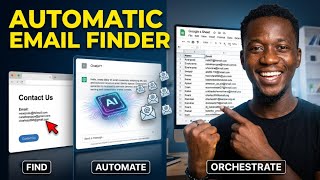
AI Finds Emails Automatically – Straight to Your Spreadsheet
216 views
Extract Targeted Emails from Google Search Without Getting Banned
149 views