
How to Get a Podcast Website
🛍️ Products Mentioned (4)
You too can easily create a stunning, fully-optimized website for your podcast with RSS.com's built-in tools. RSS.com's podcast website feature is your ticket to establishing a powerful online presence. With our easy-to-use tools, you can create a stunning, fully-optimized website that serves as the perfect launchpad for your show. No coding skills required – our system automatically updates your site with each new episode you release, ensuring your website is always up-to-date. Your podcast website is fully responsive and looks great on devices of all sizes. Plus you can customize your website with your show’s logos, episode artwork, show description, donation buttons, and social and website links. 🚀 Need an RSS.com account? Sign up for free here: https://dashboard.rss.com/auth/sign-up/ 🔄 Already hosting somewhere else? Move your show to RSS.com and get 6 full free months of service: https://rss.com/switch 🔍 Be sure to check out our free guide for more great tips on starting and growing a podcast: https://rss.com/blog/how-to-start-a-podcast-in-seven-steps/ 📘 Want more tips? Check out this post on the RSS.com blog: https://rss.com/blog/transcribe-your-podcast-free/
🎬 More from RSS․com - Start & Grow a Podcast

How to Start a Podcast on Spotify for Free (Step by Step)
52 views
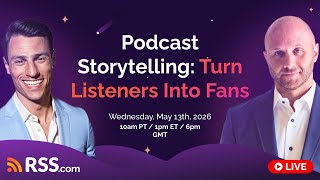
Podcast Storytelling: How to Turn Listeners Into Fans
231 views
Send Ad Free Episodes to Apple Podcasts Subscriptions Without Extra Work
67 views

Why Podcast Awards Matter: Grow Your Show and Build Credibility
184 views

5 Ways to Get Your First 1,000 Podcast Downloads in 2026
1.0K views
Best Podcast Hosting in 2026? I Compared 5 Platforms (Honest Review)
528 views