
Galaxy Z Fold 7 – 10 Tips You’ll ACTUALLY Use Every Day
🛍️ Products Mentioned (6)
After spending real time with the Samsung Galaxy Z Fold 7, I’ve narrowed it down to 10 tips and tricks that actually make a difference in everyday use. Whether you’re new to the Fold or upgrading from an older model, these tips will help you: 📝 CHAPTERS 00:00 Introduction 00:08 Continue Apps on Cover Screen 00:44 Sort App Drawer Alphabetically 01:17 Gesture Navigation 02:05 Enable One Handed Mode 02:48 App Pairing 03:30 Custom Widgets, Icons, Wallpapers 04:45 Cover Screen Mirroring Toggle 05:07 iMessage on Android!? 06:01 Selfies Via Cover Screen Preview 06:36 Flex Mode Everything Widgets App: http://bit.ly/41x3ob6 Wallpaper Pack: http://bit.ly/47m7F4U Nothing Icon Pack not available in the play store anymore 😭 Alternatives: 1. Dots : Adaptive Icon pack - http://bit.ly/3HoPr8k 2. Everything Adaptive Icons - http://bit.ly/4mACTKe 🛒 My Wallpapers, and Digital Products - https://renzssadiwa.gumroad.com/ 🎥 My Camera Gear https://amzn.to/49d5FuJ 📲 Follow me on social https://www.tiktok.com/@renz.sadiwa https://instagram.com/renzsadiwa/ #GalaxyZFold7 #SamsungFold #SamsungTips #GalaxyTips #SamsungGalaxy
🎬 More from Renz Sadiwa
The $800 Projector That Actually Lives Up to the Hype
6.9K views
My Honest M5 iPad Pro Review — Not What I Expected
37.4K views
The Most Advanced Robot Vacuum I’ve Ever Tested — Dreame Aqua10 Ultra Roller Review
75.6K views
iPhone 17 Pro Max Real Day in The Life Review / Battery, Camera Test
74.7K views
iPhone 17 Pro Max Cosmic Orange — 48 Hours Later (Honest Thoughts)
10.2K views
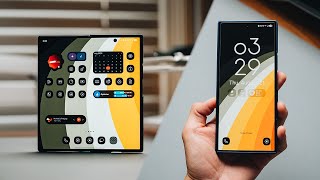
Galaxy Z Fold 7: 10 Must-Know Customization Tips
63.0K views