6 Note-taking tricks to use in Reflect
🛍️ Products Mentioned (2)
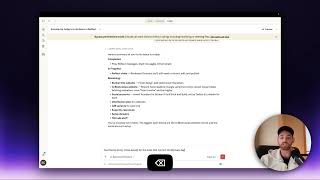
Reflect has some sleek tricks that not everyone knows about. Check out these 6 tricks to see if you knew about them. 1. Cross out text / highlight text (cmd + shift + x) 2. Create a Code Block (```) 3. Create a section line (--- surround text) 4. Focus mode and resizing (cmd + shift + f) & (cmd +/-) 5. Split pane + multiple tabs (click on link while holding cmd) 6. Collapse bullets (click on a bullet that has sub-bullets) Timestamps: 00:00 - Introduction to Reflect Tricks 00:17 - Crossing Out and Highlighting Text 01:00 - Using Cross Out for To-Do Lists 01:22 - Highlighting Text with Markdown 01:38 - Creating a Code Block 02:33 - Adding a Section Line 03:01 - Focus Mode and Resizing 03:22 - Shortcut Menu Overview 04:26 - Resizing Text for Better Visibility 04:50 - Split Pane and Multiple Tabs 06:28 - Collapsing Bullets for Organized Notes 07:48 - Daily Note Organization with Collapsed Bullets 08:50 - Conclusion and Final Thoughts From crossing out text to collapsing bullet points, these tricks will help you get the most out of Reflect. Don't forget to leave your own discoveries in the comments, and stay tuned for potential follow-up videos on more Reflect tips and tricks. Happy note-taking! Try Reflect for free at https://reflect.app/ 📝 Sign up for Weekly note-taking workflows: https://reflectnotes.beehiiv.com/