
How to Create the Pop-Out Effect in Canva | Step-by-Step Tutorial
🛍️ Products Mentioned (5)
In this tutorial, I’ll show you how to create the eye-catching Pop-Out Effect in Canva, perfect for making your designs stand out! Whether you’re designing for social media, presentations, or personal projects, this effect will give your graphics a dynamic, professional look. Don’t forget to like, comment, and subscribe for more design tips and tricks! What You'll Learn: * How to layer images and text to create depth. * Using frames and elements to achieve the pop-out look. * Tips and tricks for enhancing your design with shadows and highlights. This tutorial is beginner-friendly, so even if you’re new to Canva, you can follow along and master this effect quickly. Make sure to subscribe for more Canva tutorials, and feel free to drop any questions in the comments below. #CanvaTutorial #PopOutEffect #GraphicDesign #CanvaTips #designforbeginners Stay Connected! // S U B S C R I B E. / patriciaonbrand New Videos Every Week! // Get CANVA Pro for 30 Days FREE https://partner.canva.com/Rye0xb // F O L L O W Linktr.ee | https://linktr.ee/patriciaonbrand Website | https://www.laurenceaudesignstudio.com Journal & Planner Templates | https://easyprocreativelab.com Ai Stock Images | https://easyprocreativelab.com/product-category/stock-images/ai-generated-stock-images/ Instagram | https://www.instagram.com/patriciaonbrand/
🎬 More from Patricia Laurenceau
Writing with Divine Purpose: Hearing God in the Writing Process w/ Ebony Nicole Smith
29 views
How to Design a Stunning E-Book Cover in Canva (Beginner-Friendly!)
70 views

How to Use Canva & ChatGPT to Elevate Your Brand – Live Workshop!
301 views

Unlock the Power of ChatGPT for Business | For Beginners
45 views
Less Grind More Faith 2025 | Vision Board Party 2025
33 views
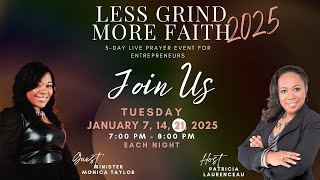
Less Grind More Faith 2025 | Day 3 of 3-day Prayer Event for Entrepreneurs
36 views