
Make Underwater Audio Effect in Seconds with Premiere Pro & MusicGPT
🛍️ Products Mentioned (2)
Want to create stunning underwater sound effects without spending hours in your audio editor? In this step-by-step tutorial, you'll learn how to use MusicGPT to generate custom SFX and music just by describing what you need. We’ll show you how to seamlessly transition in and out of water using Premiere Pro, using effects like Low Pass and Surround Reverb to make your audio immersive and cinematic. Project File: https://drive.google.com/drive/folders/1k_nIGYP4TFZx4bmPch65qrXSaSVnb2jK?usp=share_link ✨ No sound design skills needed. Just type it. Download it. Drop it into your timeline. Perfect for editors working on travel vlogs, cinematic sequences, or underwater scenes. ⏱ Chapters: 0:00 Intro & Example 0:30 How to use MusicGPT 3:00 Adding Audio & SFX 4:30 Underwater Sound Effect 5:40 Last tips 👍 Like, Subscribe & Hit the Bell to stay updated with advanced editing hacks. 👉 https://linktr.ee/miracamp to learn more and enroll in Miracamp today. 🚀 Don’t wait — your creative future starts now!
🎬 More from Miracamp

Best Export Settings For DaVinci Resolve (Youtube, Instagram, TikTok) | Full Tutorial
1.7K views
Easy Flash Transition in Premiere Pro (MasterClass)
10.4K views
How to Create the Creed Edit Cut Out Effect | Premiere Pro (Step-by-Step Tutorial)
11.5K views
How to Create a Rapid Blur Transition in Premiere Pro (Smooth Blur Zoom Effect)
2.1K views
How To Separate Audio From Video In Davinci Resolve
3.8K views
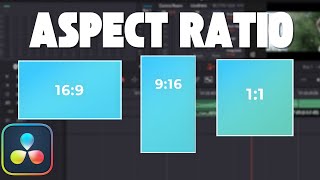
How To Change Aspect Ratio in Davinci Resolve (Step by Step Tutorial)
6.3K views