
How to Remove Background Noise - Adobe Premiere Pro 2025 Tutorial
🛍️ Products Mentioned (2)
Struggling with unwanted background noise in your videos? In this Premiere Pro 2025 tutorial, I’ll show you step-by-step how to clean up your audio using the Denoise effect and Single-Band Compression. These tools will help you achieve clear, professional-quality sound without needing expensive plugins. Project File: https://drive.google.com/drive/folders/1erjmB7b1Oosui4ph0OG4ByvHi1xavGbn?usp=share_link What You’ll Learn in This Tutorial: * How to apply and fine-tune the Denoise effect * Using Single-Band Compression to balance your audio levels * Best practices for reducing background noise in Premiere Pro 2025 Perfect for YouTubers, editors, podcasters, and anyone looking to level up their audio editing skills inside 🔔 Subscribe for more fast editing hacks, Premiere Pro tutorials, and effects breakdowns. 👉 https://linktr.ee/miracamp to learn more and enroll in Miracamp today. 🚀 Don’t wait — your creative future starts now! #PremierePro #NoiseRemoval #AudioEditing #VideoEditing #PremierePro2025 #removebackgroundnoise Chapters: 00:00 - Intro 00:09 - Denoise Effect 01:35 - Single Band Compression
🎬 More from Miracamp

Best Export Settings For DaVinci Resolve (Youtube, Instagram, TikTok) | Full Tutorial
1.7K views
Easy Flash Transition in Premiere Pro (MasterClass)
10.4K views
How to Create the Creed Edit Cut Out Effect | Premiere Pro (Step-by-Step Tutorial)
11.5K views
How to Create a Rapid Blur Transition in Premiere Pro (Smooth Blur Zoom Effect)
2.1K views
How To Separate Audio From Video In Davinci Resolve
3.8K views
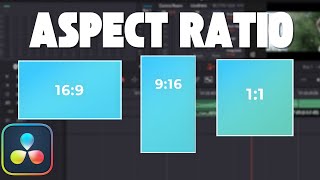
How To Change Aspect Ratio in Davinci Resolve (Step by Step Tutorial)
6.3K views