
How to Crop a Video in CapCut (Easy Step-by-Step Tutorial)
Want to crop your videos perfectly in CapCut? 🎥 In this short and easy tutorial, we’ll show you how to crop a video in CapCut in just a few steps: 👉 Open CapCut 👉 Add your footage 👉 Drag it to the timeline 👉 Select a crop ratio (like 9:16 or 1:1) 👉 Adjust your crop size and placement for the perfect frame Whether you're making content for TikTok, Instagram, or YouTube Shorts, learning to crop your video properly is key. 💡 Tip: Use the right crop ratio to match your platform — vertical (9:16) for TikTok & Reels, square (1:1) for Instagram feed, and so on. 📌 Don't forget to like, comment, and subscribe for more CapCut editing tips! #VideoEditing #CapCutTutorial #ShortFormVideo
🎬 More from Miracamp

Best Export Settings For DaVinci Resolve (Youtube, Instagram, TikTok) | Full Tutorial
1.7K views
Easy Flash Transition in Premiere Pro (MasterClass)
10.4K views
How to Create the Creed Edit Cut Out Effect | Premiere Pro (Step-by-Step Tutorial)
11.5K views
How to Create a Rapid Blur Transition in Premiere Pro (Smooth Blur Zoom Effect)
2.1K views
How To Separate Audio From Video In Davinci Resolve
3.8K views
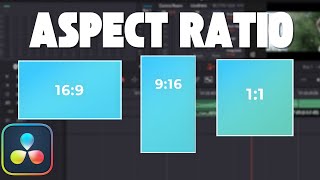
How To Change Aspect Ratio in Davinci Resolve (Step by Step Tutorial)
6.3K views