
How To Install Davinci Resolve On Debian Based Distros
🛍️ Products Mentioned (3)
Install DaVinci Resolve on Debian by enabling non-free NVIDIA drivers, installing required OpenCL, CUDA, and multimedia libraries, and using the MakeResolveDeb script to convert the official installer into a Debian-compatible package for smooth GPU-accelerated video editing. SCRIPT TO DEBIFY RESOLVE https://www.danieltufvesson.com/makeresolvedeb what i pasted. sudo nano /etc/apt/sources.list deb http://deb.debian.org/debian trixie main contrib non-free non-free-firmware deb http://deb.debian.org/debian-security trixie-security main contrib non-free non-free-firmware deb http://deb.debian.org/debian trixie-updates main contrib non-free non-free-firmware sudo apt update && sudo apt full-upgrade -y sudo apt install -y nvidia-driver nvidia-opencl-icd libcuda1 nvidia-cuda-toolkit libnvidia-encode1 ocl-icd-opencl-dev nvidia-smi nvidia-smi sudo apt install -y libfuse2 libssl3t64 libxcrypt-compat libxcb-cursor0 libxrandr2 libasound2t64 libxinerama1 libxrender1 libxi6 libxext6 libglib2.0-0t64 libglu1-mesa libnss3t64 libgstreamer1.0-0t64 gstreamer1.0-plugins-base gstreamer1.0-plugins-good gstreamer1.0-libav ocl-icd-libopencl1 sudo mkdir -p /etc/pki/tls/certs/ sudo ln -sf /etc/ssl/certs/ca-certificates.crt /etc/pki/tls/certs/ca-bundle.crt sudo usermod -aG video,render $USER unpackage the makeresolvedeb tar -xvf makeresolvedeb_*.tar.gz unzip the davinci download ./makeresolvedeb_*.sh DaVinci_Resolve_Studio_17.4.6_Linux.run sudo dpkg -i davinci-resolve-studio_17*.deb sudo apt --fix-broken install -y DRIVER FIX sudo apt install -y linux-headers-$(uname -r) dkms build-essential nvidia-driver
🎬 More from Matthew Alton
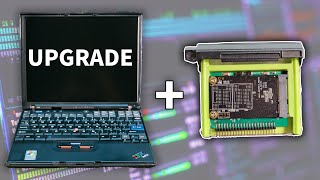
Can Linux save this 21 year old laptop?
5.2K views

Forget top – Why Everyone Uses htop or btop Instead
1.9K views

How to Set Up an Nginx Web Server on Debian – Step-by-Step Tutorial
2.3K views

How To Install Debian 13 On A Server
16.2K views

How To Upgrade Lenovo Think Centre RAM
16.6K views

I Built A Mini PC Server Rack
168.5K views