
The Right Chart in Seconds: AI Chart Builder Tutorial
🛍️ Products Mentioned (3)
👉 Try Venngage: https://tinyurl.com/venngageMT 🔔 Use code MAKERTHRIVE50 to enjoy 50% off your annual plan for Venngage Premium or Business Plan In this video, I walk through how to turn three launch-related marketing prompts into clear, presentation-ready charts using Venngage’s AI Chart Generator. We’re talking weekly reach, platform engagement, and campaign efficiency—all built with a simple prompt and styled to match your brand. If you're tired of fiddling with Excel or wrestling with Google Sheets just to get a few charts out the door, this tool might change your whole reporting workflow. Check out Venngage’s channel for more tutorials: http://youtube.com/@UC7U3tfIOhOkitolHHOy3JAg ⎯⎯⎯⎯⎯⎯⎯⎯⎯⎯⎯⎯⎯⎯⎯⎯⎯⎯⎯⎯⎯⎯⎯⎯⎯⎯⎯⎯⎯⎯⎯⎯⎯⎯⎯⎯⎯⎯⎯⎯ 00:00 Intro: 3 charts, 1 tool 00:28 Chart 1: Weekly reach across platforms 01:20 Chart 2: Launch week engagement breakdown 02:08 Chart 3: Campaign efficiency with click-throughs 03:00 Combine charts into one branded layout 04:15 Accessibility & export options 04:50 Wrap-up ⎯⎯⎯⎯⎯⎯⎯⎯⎯⎯⎯⎯⎯⎯⎯⎯⎯⎯⎯⎯⎯⎯⎯⎯⎯⎯⎯⎯⎯⎯⎯⎯⎯⎯⎯⎯⎯⎯⎯⎯ 🌐 Website & Work with us! → https://makerthrive.com/ 🐦 X → https://x.com/makerthrive 📩 Newsletter → https://makerthrive.beehiiv.com/subscribe
🎬 More from MakerThrive

I Replaced My $79/yr App Subscription With 5 Prompts
15.5K views
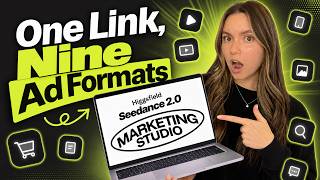
This Is What a $0 Ad Budget Looks Like in 2026
48.2K views

How to Migrate from DocuSign to BoldSign Without Breaking Your Integration
58.4K views

I Tested The World's First Vibe Solutioning Platform
49.7K views

The AI Marketing Tool Built for App Founders
89.5K views

Apple Is Blocking Vibe Coding Apps (Here's Why You Should Care)
15.1K views