
Microsoft 365 Tutorial - Add and configure users in Admin Center
Learn how to use the Microsoft 365 Admin Center to add users, set up passwords, configure roles, and more. Explore more Microsoft 365 courses and advance your skills on LinkedIn Learning: https://www.linkedin.com/learning/topics/microsoft-365?trk=sme-youtube_M143014-06-02_learning&src=yt-other This is an excerpt from "Microsoft 365 Essential Training for Administrators," a course on LinkedIn Learning taught by Ed Liberman. Ed has worked in technology for over 20 years, consulting and training thousands of people to help them start careers in the IT industry. 0:00 - Adding users 5:22 - Configuring user roles Microsoft 365 Essential Training for Administrators https://www.linkedin.com/learning/microsoft-365-essential-training-for-administrators-9471102?trk=sme-youtube_M143014-06-02_learning&src=yt-other #Microsoft365 #HowTo #LinkedIn
🎬 More from LinkedIn Learning
Hands-On Practice with LinkedIn Learning Cybersecurity Labs
2.6K views
LinkedIn Learning courses integrated with GitHub Models
2.6K views

Hands-On Practice with LinkedIn Learning Code Challenges
3.3K views
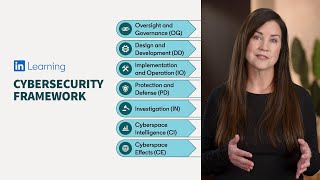
Cybersecurity training for every job role
797 views
Word Tip - Using Mail Merge to personalize emails
9.3K views
Ask senior leaders these questions
1.5K views