
Is this your channel?
online tool
online tool
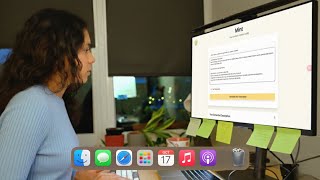
I specifically tried the online EdrawMind tool in this build, and it worked really well for quickly dumping my current workflow and pain points. I also liked that I could switch views (mind map to outline) which makes it easy to reuse the plan elsewhere.
Pros
- +Works in the browser for quick planning
- +Outline view makes it easy to export structure into other tools
- +Keeps brainstorming and task lists in one place
Cons
- -If you want a super polished system, you still need to maintain your structure and updates
What Life Of Gaurz says
“[Music] okay we're going to try this out usually the hottest part of working on projects is hey guys welcome back to the channel today we're going to create something that is honestly so exciting because I've been wanting to create this or work from this project for I think the past 2 months and it's been sitting in my to-do list but this week I decided to actually pick it up and work on it so I'm going to be trying to automate my content creation Journey which is basically me trying to make these YouTube videos and that is so much I can automate in this entire process that majority of this video is probably going to be me planning and trying to figure out what to build so I think that's going to be kind of fun and you know what let's just get into it okay we're going to start off with the planning process which is going to be fun so I'm going to open up Chrome and go to E draw mine who are also the sponsors of this video I've used their desktop version multiple times even on this channel and always loved it but today we're going to try and use that online version they even have the app e draw mind is a very powerful mind mapping tool and we're going to need all of its power today the most important question to answer is what to do for the MVP and I really want to approach it from the perspective of what problem am I going to solve so I want to come up with the pain points like the problems I'm facing and then come up with the solution solution at the end of it so one of the problem they are facing is that content creation is a long process so that is a very general problem to solve and content creation can be broken down into a long form as well as a short form so that's why I want to come up with the process for long form which is like these type of longer YouTube videos and the short form is like reals or YouTube shorts just way shorter videos and I'm going to first figure out the current flow so I'm dumping down everything that I do when it comes to creating one video which does seem like a pretty long process not going to come up with the solution yet let's just try to dump all the problems so I know that content creation can be long that's one problem another problem is that ideating can be hard as well like it's difficult for me to come up or pick which should be the video idea that I work on next mostly cuz I have so many so I hard to pick which one also this not really to our ideation or our brainstorming right now but I really love the customization that you can do on erw mind because look I can change the background to be something that I like or what I find aesthetic and cute I love tools like this which really help us customize a lot another problem I could solve is that it's hard to manage all ideas and everything in just one place currently I use notion which is a great tool but it would be so nice to have a customized tool in place for me to manage from ideation to script writing all the way to even thumbnail generation so that would be really cool now that I have all of my pain points or problems I want to solve listed down I'm going to create a vision of what I expect my product to look like so I'm just dumping that down right now like what would my ideal process be like in a very futuristic State and now that I have this I'm going to use the intelligent expand feature of er draw mind which I really like a lot and that's going to generate in a mindmap format what are the different features that I could develop with these pain points that I have already listed down in place so I like what it came up with the first suggestion by you mind is an ideal management tool where users can store and categorize ideas with statuses for organization I like that the next one is a filtering system where I can then filter then outline creation and script development and lastly is a custom description templates okay this is very interesting because what this is saying is that I could create a description automatically based on what the title or the content of my video is like which is good because it takes me at least 10 minutes to come up with the description so looking at all of these I think I like the description templates one the most so I might just end up building that let's let's look deeper into this after after all that planning I feel like it's been like an hour but I have decided on two main features that I would want to build which solve specific problems for me so first is going to be the custom description template don't worry I will go into detail of what this actually means and the second will be a script development tool so a tool that lets me develop scripts very efficiently so the first one which I'm going to focus on is going to be the custom description templates tool sounds super complicated but the current flow of how I generate descriptions is that I usually have the title and the basic description of the video I dump this into clot Ai and then clot comes up with the description and I copy paste it into the uh description tool of YouTube but this whole process it takes a while because I need to manually open clot I need to copy paste things in and then I need to remember what the promp looks like and this is what a description is in general it has multiple different sections to it this is a description template that I usually paste into CLA and I will ask it to come up with the new video description based on the content of the new video as well and I also need to manually come up with the time stamps in the description so it' be really cool for us to automate that as well next step is going to be to come up with the improved flow so what would the user journey be mainly my journey in the improved version so I want to have the title in the video like basic summary of the video and I will paste it into our tool and the tool will then respond with the final description that I can then paste immediately so that would be pretty cool and the future flow would be that the tool can come up with automatic timestamps as well so we're going to see if we have time to build automatic timestamps really love these customized cute elements you can add in E draw mind and also the different colors that I can add to all of my mind maps but okay we're running out of time so let's try to add the technical details next and I'm basically just going to add all of the different technical implementations that I need to do as well as what is my Tex stack going to be so we'll just plan out the technical side of things for the text tag I'm just going to go very simply with nestjs cuz I used that in a previous video and I really really liked using it so we're just going to go ahead and use it as well and then I'm going to use deep seek API also or to be honest any other them that works cuz this is not a very complex thing that we're trying to build I'm going to quickly write down all of the technical details that I need to not forget so just things to remember like how exactly are we going to build this what steps should I follow and now I'm going to try and design our solution using my iPad so I was going to use an online tool for this then I just felt like an internal inspiration to use my iPad to build this so that's what we're going to do and I'm going to create multiple different pages and the first page is going to be a home hom page because remember I want this tool to include a lot of different features so what we're going to build today is just going to be a small part in like larger automation with multiple features so the homepage is going to be mint which is going to be the name of this tool and it will have multiple different buttons the first button will be generate your description and there will be other buttons for the future as well then now we go to the next page which is going to be the generate your description page and this page is going to include a way for the user me to input in my title as well as a summary of what the video is going to be about and then there will be a submit button that the user can then press when the user presses the submit button then they'll be brought to like review your description page actually maybe I should make it on the same page as well and I also want that to be a copy icon which would allow the user me to be able to copy the description without having to like command C command the I can just automatically click this button and then it would be copied to my click board which is not that hard to do but it improves my user experience so we're going to do that this is more or less what I came up with it's not pretty but I'm not a designer we have our design in the E mind mind map now but we're now going to add other things like the color palette so I'm really really into this color palette right now I don't know why I really like it so I'm just going to use this cuz it's what I used in a different project recently so we're going to paste that in and the next step is going to be to come up with like a to-do list and it's great that on erra mind we can also just add to-do list items to the Mind map itself so that just keeps things [Music] clean I just realized something that can actually help us in building this out so Adine has my maps but it also has other views like this view which is to see the outliner of the entire mind maps that we have drawn and it also has this ability to generate AI PowerPoint slides based on the mind maps which is very cool but going back to this outline page if somebody wants to dump this outline into clae or into cursor then you can generate your entire product with just this base outline cuz then the AI would know what you want to build so that's an option but we're not going to do that I am going to use cursor as my IDE just cuz it's good for debugging we are not going to rely a lot on cursor just for minor debugging or getting redundant tasks done let's start off by creating our next JS app so I'm going to be running the command and generating a basic template of the app okay cool and we have a basic nextjs app running so good start I mean that was probably really really easy so it's not really a start but okay nothing went wrong so we're going to start off with the UI elements to build the generate description page [Music] I just wanted to build UI elements for the title basic summary and generate summary button but it looks very ugly so I'm actually going to use shet Cen which is what I used in a different project recently and I was very happy with this tool and it's basically a tool that has multiple different UI components in buil already which I can just import without having to create those components myself okay we have a basic looking page this is what it looks like imagine there's a logo on the left I still need to add the logo in but it's mint your content creation buddy a video title basic description and then a generate button looks similar to my iPad designs does it not so okay not bad at all going back to our checklist on edraw mine I'm going to mark this as tick cuz technically it's tick I need a logo and I'm going to go back to use canva which is my favorite logo making tool and this is the logo that I've used for almost every project recently and I'm going to continue using that with our new color scheme that's my favorite color scheme right now so I'm just going to call it mint don't ask me why I came up with any mint it just sounds cool and like oh mint refresh your journey I don't know so cute we're going to paste this logo in okay the logo is in and it looks kind of cute so good next step is going to be to create the actual logic of generating when the user clicks on the generate button what happens next and yeah let's go I did have to use cursor for like aligning the different UI elements cuz that was painful for sure so the first step in figuring out the logic is going to be to break down the template and this template is basically the previous video's description so if you go to my channel and you check out the description under the video it's going to be this what you're seeing on my screen right now but I need to break it down so that the llm knows that this is what I want in this section because not everything is going to be static some of it is going to be dynamic and link to the new videos title I don't know if that makes sense I hope it did so this episode breakdown is going to be the timestamps which hopefully we have time to add that in later that would be really cool actually saved me quite a bit of time and then we have these tags that I also wish to automate like I wish to generate new tags based on the new video for example if the video is going to be about AI then I want the tags to be representative of AI so that the right person sees the Right video and I'm going to dump this into CLA so this is where I think AI is really good where it comes to like mundane tasks like creating prompts so I'm going to ask it to come up with the prompt template for me for the call to deep seek or open AI or whatever llm end up using okay we're going to try this out I have not tried it out yet so we're going to do this in real time and somehow the previous video like when I created my Pomodoro Timer it actually worked immediately so I was very surprised and I would be very very surprised that this actually works because currently I basically integrated deep seeks API and uh I hope that logic Works cuz I've not tested that out yet so we're going to be actually testing this [Music] together okay and then we click generate your description and how does it go it didn't work okay what's the error oh so it doesn't respond with anything okay I think I need to add more logs to thebug this [Music] okay it's kind of still not working and I switched to use open AI instead of deep seek and it still seems to error so it's quite a large prom so I think the error is that I don't have enough tokens at least in the free plan that I'm using so it can't process the query but we have two options now either I can go to use another plan so I pay more money so that I have more tokens which I don't want to do or I can choose to break down my prompts so that they don't use a lot of tokens in the first place so that's an option okay careless mistake just now so it wasn't working but I fixed one thing and I think it should work now so let's test it out feel like this video is going to be very long okay generate your description and it works we have a generator description okay some parts I want to definitely change because I can already see like issues with the description but okay it's not bad at all I'm going to open Sublime so that I can take notes cuz I love Sublime it's just like a quick note uh taker tool so I'm just going to write down in uh bullet points what I don't like about the generator description and then I'm going to dump this into clae so that it can update the prompts for me again but going back to e draw mine I think we can take this off because the code does have a template hardcoded which is cool it would be cool if I ever want to release this to other content creators as well when of course it looks nicer and stuff then I would allow them to type in or come up with their own templates so that would be another section but we don't want this to be too long I mean it's already taking so long so uh small small steps start small so let's see if this works I just updated the proms again with the help of clae so let's [Music] see okay came up with something your generator description this looks so much better than what it was just now and if you scroll down the hashtags at the end are definitely problematic because I don't want it to look like that so there some things that we need to fix here but more or less it's looks okay so I think we have it working okay let's test it out together I'm I'm going to try and make it generate the description for my video recently which was I coded a cozy Pomodoro Timer in 2 hours let's see how it does okay we have a generator description starting part is not bad at all it has basic things that I needed it to have as well as a what you learn section which is good if we scroll down it does have some nonsensical things as well like it's just too much nonsense but I think it's okay and let's double check if the hashtags look fine and they do they look good cool awesome okay very good so the last section was the user will be able to copy the description we don't really have that yet because currently I have to copy it manually by copying this whole thing so I think that's going to be the next step and it would be great to have a copy tool at the top right hand corner of the your generated description section so let's work on this [Music] now okay I think we have a work and copy button so let's test it out [Music] together okay generates a description and we have a copy button at the top right hand corner so if I click on it and I paste it into blime cool it copies everything correctly okay very nice so now the next step since we can take it off is to build the homepage but I don't feel like building the homepage H maybe instead of building the homepage I can build the transcript like the timestamps generator tool that would be cool okay I'm now going to create a new frothing topic on E mind for the automatic timestamps generator so I'm first going to come up with the current flow so what I do to generate the time stamps right now which is basically to manually look at the video and then generate the time stamps um an example of what a time stamp looks like is actually this so it starts off with the Z 0 then you add the next time and then you add another time after that so what would be an idea though is that it would be really really cool if I could download a transcript of the video that I was going to upload and I can do this with cap cut which is the tool I use for editing my video as well I can then upload it to Mint which tool we created and mint would automatically be able to create the timestamps and add it to the final description that would be really cool because then I can get everything automated and all I need to do when I create a new video is go to Mint upload everything and then I copy paste the description to YouTube that will be really good so let's try to build this out I'm hungry so I'm going to take a small break and eat first so I'm going to be eating this I'm going to be eating meat pork which is basically noodles with some fish balls in there okay to be honest there was quite a bit of moving Parts in making this Tim stamp uploading thing work but I think I finally have it ready so let me show it to you because this video is getting way too long so I don't have time to show you all the middle processes as well so let's go I'm going to copy the title of my latest video which is a day the live video and then I'm going to come up with the basic description like summary of what the video is going to be about and now I uploaded my SRT file which is processing I don't have the logic yet which shows after the file has been processed like some kind of indicator but I will add that later but since it's been processed I'm going to click on the generate button and we wait okay seems like we have a description generated which is looking cool we have the title and introduction key learning points and does it have a time stamp okay that is the episode breakdown section below which does have time stamps and now let's double check if the time stamps even make sense so that is this one time stamp which is for the behind the scenes building a new API points at five minute so let's fast forward to the 5 minute Mark and okay cool it does talk about the API so that's good and if I try another time stamp which is more about the 7 Minutes Mark okay this one is not super accurate but it's more or less in that range of whatever is talking about okay I think this is not but it looks cool and the time stamps work this is going to save me a lot of time when I try to come up with the time stamps in the future I think I'm going to use this for this video as well so I'm pretty excited to actually use this and I'm very happy with this tool it's just the first feature for future automations as well so let me know if you like this video cuz then I'm going to create and show you more of the other features that I want to build in this more larger picture of like like a content creator productivity SL automations tool okay I'm so happy with the progress that we made today I think we generally created a tool that I'm going to be using and if you like this video I'm going to continue working on this and I'll show you how things progress in the future as well and I don't think we could have done this without e draw mind because usually the hardest part of working on projects is the getting started part and when you have tools like e mind which really help you stay productive and I love visual tools and the fact that I can very easily have a mind map and convert the Mind map into a document style or even convert the Mind map into a PowerPoint slide I think tools like idra mind are great which help us stay productive and some features in erra mind I genuinely love so much like the AI expansion feature or their oneclick mind map so if you're someone who's looking for a new productivity tool if you're a student looking to create mind maps for easy visualization of so many key Concepts definitely check out erra mind you will find them with the link in the description box below so with that being said thank you so much for watching and I will see you in the next one”
Featured in this video
online tool
Available on Bit
External purchase
Highlights
- +Works in the browser for quick planning
- +Outline view makes it easy to export structure into other tools
- +Keeps brainstorming and task lists in one place
Recommended by
Life Of Gaurz