
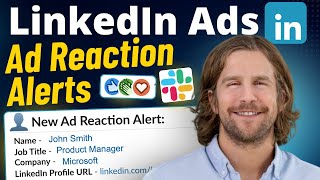
How To Get LinkedIn Ads Company Engagement Slack Alerts (Tutorial)
🛍️ Products Mentioned (3)
Hire me for LinkedIn Ads management 👉 https://mitchellgould.com/consulting In this video, I show you how to set up a LinkedIn Ads company engagement Slack alert. This is a great signal for marketing and sales teams to see which companies are showing higher engagement from your LinkedIn Ads campaigns and can assist with prioritizing outreach. If you’re a B2B marketer running LinkedIn Ads, especially with a demand generation, ABM, or account list approach, this provides valuable signals that sales and marketing can act on. It can also help with account hygiene to quickly see any companies that may not be an ICP fit and need to be excluded from the account. To set this up, you need a Zapier Pro account, Fibbler account, and Slack. https://www.fibbler.co https://zapier.com Slack Message Text: 🚨 *New Company Engagement Alert* _Companies showing "High" or "Very High" engagement in the last 7 days._ *Company Name:* [parameter in Zapier added here] *LinkedIn Company Page:* [parameter in Zapier added here] *Engagement Level:* [parameter in Zapier added here] Timestamps: 00:00 Introduction 00:12 Requirements 00:20 Example alert 01:01 Benefits 02:28 Fibbler signal setup 03:45 Creating the Zap in Zapier 10:48 Testing the alert
🎬 More from Mitchell Gould
LinkedIn Ads Bidding Strategy: Why I Use Manual Bidding (2026)
472 views

A Simple LinkedIn Ads Strategy Anyone Can Run
71 views
How to Upload a Contact List on LinkedIn Ads (2025 Tutorial)
586 views
Self-Reported Attribution Explained (With Real Examples)
56 views
How to Set a LinkedIn Ads Impression Cap (Reach More Companies)
216 views
LinkedIn Ads - Get Slack Alerts When People Engage With Your Ads
39 views