
How I Batch Create a Week of Instagram Content
🛍️ Products Mentioned (11)
Curve Mini from Twelve South
Curve Nano (Phone Stand) Link
FREE B-Roll Checklist
my team of editors to edit your YouTube videos!
where I get music for my videos
Main camera
Lens
Vlog camera
Microphone
Tripod
See all my gear here
Check out the Curve Mini from Twelve South: https://go.shopmy.us/p-29352520 ✨ Today I'm taking you behind the scenes of my Instagram content creation workflow, how I batch one week of Instagram content in just a few hours. This is just my current process, I'm always switching up my routine based on my life/schedule/strategy of the moment. My hope is that this gives you one example of an approach you could use for creating content strategically and consistently. If you haven't yet, make sure to watch part 1 of this two part mini-series - last week I shared the steps that I take for planning my content. So you can see the rationale and strategy behind the posts that you're seeing me create here! also, thanks to Twelve South for sponsoring today's video. Curve Mini (iPad Stand) Link: https://go.shopmy.us/p-29352520 Curve Nano (Phone Stand) Link: https://go.shopmy.us/p-27173911 🎞️ FREE B-Roll Checklist: https://www.katiesteckly.com/broll 🎬 Get my team of editors to edit your YouTube videos! 👉🏻 https://www.creatorlymedia.com 🚐 Watch my van life / travel channel https://www.youtube.com/@KatieandDan 📸 Follow me on Instagram! https://www.instagram.com/katiesteckly 📕 TABLE OF CONTENTS 📕 00:00 We're attempting to batch a week of Instagram content in just a few hours 01:07 my current Instagram content creation workflow 01:27 STEP 1: Filming 02:23 the camera I use to film my Reels (at least right now) 03:11 STEP 2: Record Voiceover 04:30 really quick coffee break - it feels good to be home 04:50 my favourite apple accessories - Twelve South 🤍 05:55 STEP 3: File organization & creating a b-roll library 09:25 STEP 4: Editing (how to edit a voice over vlog) 11:56 How I edit my voiceovers 13:03 How I select b-roll for my Reels 14:22 How to automatically create captions for your Reels in Davinci Resolve 15:13 don't forget to grab a still for your cover image! 16:04 How to find trending audios on Instagram Reels 17:59 STEP 5: Creating a carousel for Instagram using Canva 19:10 STEP 6: Writing captions, making cover images, and scheduling drafts 20:46 nothing more satisfying than scheduled content 🔗 LINKS 🔗 *some of these are affiliate links, which means if you make a purchase on the site after clicking these links, I could earn a commission at no extra cost to you. thanks for supporting the channel! 🎧 where I get music for my videos: https://share.epidemicsound.com/6x4f73 📹 Camera Gear: Main camera: https://geni.us/kszve1 Lens: https://geni.us/ks1625 Vlog camera: https://geni.us/kszve10ii Microphone: https://geni.us/djimicmini Tripod: https://geni.us/ksulanzi 👉🏻 See all my gear here: https://katiesteckly.com/gear 👋🏻 ABOUT ME Hey, I'm Katie! I make videos about social media strategy and content creation. In addition to being a YouTuber, I also run a small agency that provides video editing services for YouTubers and podcasters. If you want our help or just want to learn more, check out https://www.creatorlymedia.com -----------------------------------------------
🎬 More from Katie Steckly
I made $1 million from content creation. Here's what I learned.
35.4K views
The tiny vlogging camera you should actually buy
10.2K views
The best camera Insta360 has ever made
38.1K views
Big creators don't have niches. They do this instead.
22.9K views
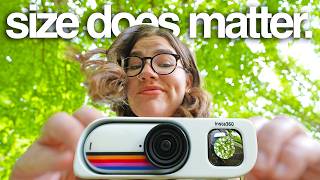
I tried the smallest camera for travel vlogging (and it's only $300)
28.4K views
These books will make you a better creator (NOT self-help)
7.0K views