
Apstra on EVE-NG: Discover & Manage Devices
This video provides a step-by-step walkthrough to successfully discover and manage a device in Apstra on the EVE-NG platform Apstra is a network automation platform that simplifies data center network management. It offers unified control, automation, and intent-based networking to streamline deployment, monitoring, and troubleshooting, regardless of hardware or vendors. Timestamps: 0:00 Intro 0:13 Connect Apstra to home network 1:16 Connect vEX switch to home network 2:42 Discover the vEX switch in Apstra 3:29 Configure device to be managed by Apstra 4:06 Edit device profile in Apstra 5:35 Remove COMMIT SYNCRONIZE Below are the versions of the devices used in the video: Apstra: 4.1.2-269 EVE-NG: 5.0.1-106-PRO Juniper vEX: 23:.1R1.8 ↤↤ ✿ ↦↦↦↦↦↤↤↤↤↤ ✿ ↦↦↦↦↦↤↤↤↤↤ ✿ ↦↦↦↦↦↤↤↤↤↤ ✿ ↦↦ 👍 Like the video (it helps a ton!) 💬 Comment below to share your opinion! 🔗 Share the video with anyone you think it might help :-) ↤↤ ✿ ↦↦↦↦↦↤↤↤↤↤ ✿ ↦↦↦↦↦↤↤↤↤↤ ✿ ↦↦↦↦↦↤↤↤↤↤ ✿ ↦↦ Thanks for watching the video. Subscribe to the channel to get more and press the BELL 🔔 icon to get notified when the next video drops.
🎬 More from Jon Green

Network Engineers: You Don't NEED to Know Everything? #shorts
327 views
How to Configure Voice VLANs on Juniper (VoIP)
967 views
Software Upgrade vs Format Install: What's the Diff?
421 views
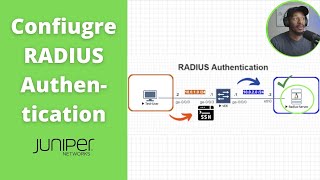
How to Configure RADIUS Authentication on Juniper
1.7K views
Bringing Dead Switches Back to Life – USB Format Install Tutorial
1.8K views
How to Setup a FreeRADIUS Server on EVE-NG | Ubuntu 24.04
7.7K views