
Add Juniper devices to your EVE-NG lab | Quick Labs
🛍️ Products Mentioned (5)
1. Free Juniper switch/router image download page
Juniper Product
3. WinSCP easy to use file transfer application
5. For step by step instructions on creating an account with Juniper, view the link below
EVE-NG Naming Convention
In this video I demonstrate how to add juniper images to my EVE-NG lab environment. Below are the links used in the video to add the Juniper switch to EVE-NG: 1. Free Juniper switch/router image download page https://www.juniper.net/us/en/dm/free-vqfx10000-software.html https://www.juniper.net/us/en/dm/vmx-trial-download.html 2. EVE-NG naming convention (how to name folders and device images) https://www.eve-ng.net/index.php/documentation/qemu-image-namings/ 3. WinSCP easy to use file transfer application https://winscp.net/eng/download.php 4. (Fix permissions) Run the command below on the EVE-NG virtual machine /opt/unetlab/wrappers/unl_wrapper -a fixpermissions 5. For step by step instructions on creating an account with Juniper, view the link below: https://supportportal.juniper.net/s/article/Create-New-User-Login-Account-with-Juniper-Networks?language=en_US
🎬 More from Jon Green

Network Engineers: You Don't NEED to Know Everything? #shorts
327 views
How to Configure Voice VLANs on Juniper (VoIP)
967 views

Software Upgrade vs Format Install: What's the Diff?
421 views
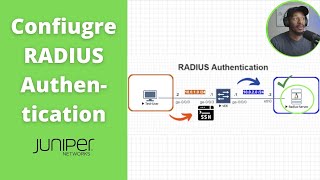
How to Configure RADIUS Authentication on Juniper
1.7K views

Bringing Dead Switches Back to Life – USB Format Install Tutorial
1.8K views
How to Setup a FreeRADIUS Server on EVE-NG | Ubuntu 24.04
7.7K views