
How to Create an Exit Ticket in Google Forms | Quick Teacher Tech Tip
🛍️ Products Mentioned (2)
In this Quick Teacher Tech Tip, learn how to create an exit ticket using Google Forms! An exit ticket is a quick and easy way to assess student understanding at the end of a lesson or class. With Google Forms, you can easily create an exit ticket and collect student responses in one place. This video will walk you through the steps to create an exit ticket in Google Forms, including how to add questions, customize the form, and view responses. Whether you're a new or experienced Google Forms user, this tip will help you streamline your assessment process and save time. Watch now and start using exit tickets in your classroom! This Quick Teacher Tech Tip is live in the comments! Please ask questions or comments live or while watching the replay to get your specific questions answered! Want more ways to use Google Forms? 10 Ways to Use Google Forms in the Classroom ▶️ https://youtu.be/GpiQOY_5PVA Want more free EdTech Tools to use in the Classroom? Watch 50 Free Tech Tools for Teachers! ▶️ https://youtu.be/HBILVAzt9kg Top Tech Tools for Teachers Course: 👩🏫 https://www.integratedteacher.com/top-tech-tools-for-teachers Tip Jar if you love integratED Teacher Resources: ❤️ https://integratedteacher.ck.page/products/tip-jar-thank-you Thank you for your kindness! ❤️
🎬 More from integratED Teacher
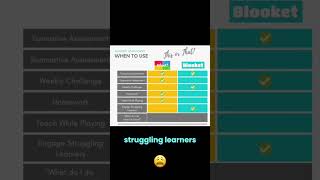
Kahoot! vs. Blooket: Which is Best for Your Classroom?
2.0K views

AI Tools for Teachers | I Tested 100+ So You Don't Have To
7.1K views

ChatGPT Is Now Free for All US Teachers! #aiforteachers
376 views

The FREE ChatGPT Access Every US Teacher Needs
4.3K views

Canva AI Image Generator Tutorial For Teachers
262 views

Make Your Students Writing POP With This Free Google Tool!
948 views