
Garmin Fenix 5 and 5x Tutorials - Hotkeys And Control Menu
🛍️ Products Mentioned (22)
Garmin Forerunner 935
Garmin forerunner 945
Garmin Fenix 5
Garmin Fenix 5s
Garmin Fenix 5x
Garmin Fenix 5 Plus
Garmin Fenix 5s Plus
Garmin Fenix 5x Plus
Garmin Fenix 6
Garmin Fenix 6s
Garmin Fenix 6 Pro
Garmin Fenix 6s Pro
Garmin Fenix 6x Pro
Garmin Fenix 6x Pro Solar
Garmin Tempe
Garmin HRM Run
Garmin Speed Sensor
Aftershox Aeropex Headphones
Sony A5100 Camera
Gopro Hero 7 Black
Manfrotto Tripod
Batteries for camera
Setting up the hotkeys and control menu on the Fenix watches will make the watch quicker and easier to use, you can bypass several menus to select a watch function by a single press of a button, setting the watch up to your own personal preference. You can contact me at yt.hilux58@gmail.com Amazon Affiliate links below: The information in this video will work on: Garmin Forerunner 935 https://amzn.to/3bubULc Garmin forerunner 945 https://amzn.to/2LjQwhj Garmin Fenix 5 https://amzn.to/3ctpK1E Garmin Fenix 5s https://amzn.to/2X3Zxk7 Garmin Fenix 5x https://amzn.to/2SVwv4I Garmin Fenix 5 Plus https://amzn.to/3bqHgCz Garmin Fenix 5s Plus https://amzn.to/2Aoaoxt Garmin Fenix 5x Plus https://amzn.to/2zAyEfy Garmin Fenix 6 https://amzn.to/2WnNX42 Garmin Fenix 6s https://amzn.to/3ctKVkh Garmin Fenix 6 Pro https://amzn.to/3dQPuWn Garmin Fenix 6s Pro https://amzn.to/2WnQhb8 Garmin Fenix 6x Pro https://amzn.to/2yGUeyU Garmin Fenix 6x Pro Solar https://amzn.to/2YU4Ipb I also use the following Garmin Equipment: Garmin Tempe https://amzn.to/2YYmbgk Garmin HRM Run https://amzn.to/2zA6Mb3 Garmin Speed Sensor https://amzn.to/2WoIl9y And Run with: Aftershox Aeropex Headphones https://amzn.to/2y01AwY And is filmed with the following equipment: Sony A5100 Camera https://amzn.to/2yGSh5y Gopro Hero 7 Black https://amzn.to/3fIMNI1 Manfrotto Tripod https://amzn.to/3fGADPP Batteries for camera https://amzn.to/2Z3sOOt
🎬 More from Hilux58

Loch Morlich 3.5mile Trail Run With DJI Neo , how good actually is the tracking
207 views

Garmin Epix Pro: Navigation in practice - Utsi’s Hut Cairngorms
1.1K views

Allpowers S200 Portable Power Supply and 100w Solar Panel Review
776 views
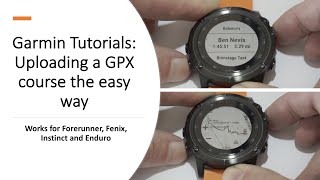
Upload and Navigate using a GPX Course on your Garmin Fenix , Forerunner , Instinct or Enduro
117.0K views

Garmin Tutorials - Lactic Threshold Testing using The Garmin Fenix
42.6K views
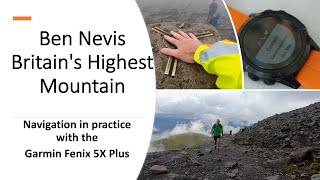
Garmin Fenix and Ben Nevis - Britains highest mountain.
5.8K views