
How to Use Google Search Console (for Beginners 2026)
🛍️ Products Mentioned (3)
Struggling to learn how to use Google Search Console or looking for a beginner's guide? This video is for you. In this video, I'll explain how to set up and use Google Search Console. This is based on my experience running an SEO agency and SEO software and how I use Google Search Console to get results for my site and clients' websites. Timestamps: 00:00 Intro to Google Search Console 0:38 The Dashboard 1:34 Submitting your Sitemap 2:22 URL Inspection & Testing 3:50 Search Results Data 5:43 Comparing Ranking Data Over Time 8:24 Analysing Rank Drops/Lossed Traffic 10:44 Detecting Keyword Cannibalization 11:43 Pages Tab: Non-Indexed Pages 13:23 Page Removals 14:27 Experience Tab 15:31 Manual Actions 15:46 Links Tab 18:45 Conclusion If you have any questions on how to use Google Search Console, feel free to leave them in the comments. Squarespace SEO Plugin: https://www.seospace.co/squarespace-seo-plugin/?utm_source=Description&utm_medium=YT&utm_campaign=Video&utm_id=YouTube Squarespace SEO services: https://www.seospace.co/hire-us To book a discovery call with my SEO agency, use this link: https://calendly.com/rough-water-media/squarespace-seo-discovery-call Instagram: https://www.instagram.com/seospace_/
🎬 More from Henry - ChatGPT Ads
How To Set Up The ChatGPT Ads Pixel (Tracking Guide 2026)
139 views
ChatGPT Ads Tutorial for Beginners 2026 (5-Minute Guide)
326 views
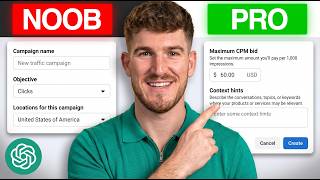
Best ChatGPT Ads Targeting Strategy for 2026 (Context Hint Guide)
952 views
Full ChatGPT Ads Course (20+ Minutes)
5.0K views
How To Set Up A ChatGPT Ads Account (2026 Guide)
2.8K views
ChatGPT Ads: The $300B Opportunity in 2026
744 views