
Turn Claude to Powerful AI Agents, Automate 50% of Your Work (Claude + MCP Agents)
🛍️ Products Mentioned (10)
Download the FREE "Master AI Agents" Playbook
Official native integration guide from Anthropic
Official Quick Start Guide (for Claude Desktop Users)
Install node.js first in order to run the npx command via terminal
*JOIN OUR AI MARKETING COMMUNITY*
*JOIN MY DIGITAL GROWTH NEWSLETTER*
*CONNECT WITH ME*
GitHub repository for MCP Servers
Perplexity AI
Feel free to use my discount code to get a $10 discount when upgrade to Perplexity Pro
Download the FREE "Master AI Agents" Playbook here 👉 https://clickhubspot.com/d7f930 As a power Claude user, I am constantly amazed by how quickly Claude is catching up. The rising adoption of MCP just proved that Claude is moving in the right direction. In this video, I will share why Claude + MCP is something that you can’t afford to miss if you’re a power Claude user like me, how you can now turn Claude into a super powerful AI agent that actually does (most if not many) heavy-lifting tasks for you! 🙌 Let’s goooo! 📌 *TIMESTAMPS* 00:00 Claude is now your AI Agent! 00:21 What is MCP (a simple explanation) 01:03 Ways to use MCP with Claude 03:10 3-Steps "Claude to AI Agent" Framework 03:58 Research AI Agent 06:45 Business Intelligence AI Agent 08:50 Personal Assistant Agent 11:35 UX Design AI Agent 13:38 Project AI Agent ⚡️ *JOIN MY GROWTH COMMUNITY* https://community.graceleung.com/ 📥 *JOIN FREE MY DIGITAL GROWTH NEWSLETTER* https://www.graceleung.com/newsletter/ 🚀 *CONNECT WITH ME* https://www.graceleung.com/connect/ 📂 *RESOURCES MENTIONED IN THE VIDEO* 🔗 Github Repository for different MCP Servers https://github.com/modelcontextprotocol/servers 🔗 Official native integration guide from Anthropic https://support.anthropic.com/en/articles/11088742-using-the-gmail-and-google-calendar-integrations 🔗 Official Quick Start Guide (for Claude Desktop Users) https://modelcontextprotocol.io/quickstart/user - - - - - - *General Steps to Install MCP Server* - - - - - - Step 1: Install node.js first in order to run the npx command via terminal 🔗 https://nodejs.org/en/download Step 2: Clone a repository on Github (for your target MCP server). Check out the link from the Github Repository for different MCP Servers above *I use the HTTPS method 🔗 https://www.youtube.com/watch?v=Lhyu_2iLO8w Step 3: Get ready for your token or API key for the target service Step 4: Config your claude_desktop_config.json according to the Github instruction for you targeted MCP server, restart Claude Desktop and you should be good to go (follow the instructions from the Github) 🔗 Perplexity AI https://www.perplexity.ai/ Feel free to use my discount code to get a $10 discount when upgrade to Perplexity Pro https://perplexity.ai/pro?referral_code=AM9DC8K5) 👉 *WATCH THESE NEXT* 🎥 AI Agents: What You ACTUALLY Need to Know https://youtu.be/1kxpWNeQ4Ec 🎥 PLAYLIST: AI for MARKETERS https://www.youtube.com/playlist?list=PLgvqWBt14woI0bW-qwMn5ZdHtvRHhENcA If you like this video, subscribe for more videos like this! https://youtube.com/@graceleungyl?si=J_vzXh3ooLlusD9G 👋 *WHO AM I* I’m Grace, a Digital Growth Consultant & Educator who is fascinated by anything digital and growth related. I share everything about digital growth, AI for marketing, and personal growth! ☕️ *Let's be friends* LinkedIn: https://www.linkedin.com/in/grace-leung-yl/ Instagram: https://www.instagram.com/graceleungyl X: https://x.com/graceleungyl *COPYRIGHT © GRACE LEUNG. ALL RIGHTS RESERVED.* *UNAUTHORIZED COPYING, REPRODUCTION, DISTRIBUTION, OR ANY OTHER FORM OF USE OF THIS CONTENT—INCLUDING REPURPOSING, MODIFYING, OR REPRESENTING IT AS YOUR OWN—WITHOUT EXPRESS WRITTEN PERMISSION FROM GRACE LEUNG IS STRICTLY PROHIBITED.*
🎬 More from Grace Leung

Claude Cowork: 8 Use Cases Every Marketer Should Know (Full Tutorial)
28.3K views

Claude Design + Claude Skills: Automate Your Marketing (Claude Code)
44.2K views
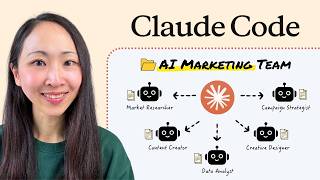
Claude Code: Build Your Full AI Marketing Team (Agents + Claude Skills)
256.7K views

Claude Cowork + Skills is Your NEW Content System
51.5K views

Claude Skills: Build Your First AI Marketing Team in 16 Minutes (Claude Code)
177.6K views
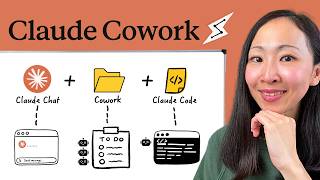
Claude Cowork Just Changed How You Do Marketing
166.0K views