
Lossless Scaling Changed My Gaming Setup Forever
🛍️ Products Mentioned (11)
MSI Deals
Viture Luma Pro XR (amazon affiliate link)
Viture Product
Find the Killswitch here!
Sedeta Display Cabinet

Amazon Affiliate Storefront (Not sponsored)
*Amazon Affiliate link (Not sponsored)
*Best Buy Creators link (Not sponsored)
Flexispot EW8 Standing Desk
*Discord*
luma.viture.com
In this video, we break down how to use dual GPUs (integrated + dedicated) to massively boost your gaming performance using Lossless Scaling and frame generation. If you have a gaming laptop with an iGPU and dGPU (like an RTX 4060 + Radeon 880M), you may already have access to this powerful setup. We show you how to enable LSFG (Lossless Scaling Frame Generation) to turn low FPS gameplay into a smooth, high refresh rate experience. 💡 What you’ll learn: How dual GPU frame generation works How to set up Lossless Scaling step-by-step Best settings for LSFG 3.1 Real performance comparisons (Spider-Man, FF7 Rebirth) When NOT to use frame generation ⚠️ Disclaimer: This method improves visual smoothness but does NOT reduce input latency — not ideal for competitive gaming. 🔥 Perfect for: Gaming laptops, handheld PCs, eGPU setups, and anyone looking to boost FPS without upgrading hardware. 👇 Drop your setup in the comments — I’ll help you optimize it! Special thanks to Stubbs from @retrohandhelds and MSI for gifting this MSI Creator A16+ to me. All opinions and words are as always my own. MSI Deals https://us.msi.com/Promotion/Deals Find MSI Online Youtube: https://www.youtube.com/@MSI_USA FB: https://www.facebook.com/MSIGamingUSA/ IG: https://www.instagram.com/msius/ Tiktok: https://www.tiktok.com/@msiusofficial Timestamps⏱️ 0:00 Intro – Why Dual GPU + Lossless Scaling Changes Everything 1:30 My Gaming Laptop Setup (RTX 4060 + Radeon 880M) 3:05 Spider-Man Base Performance Without Frame Generation 4:10 Enabling Built-in Frame Generation (Native Comparison) 6:05 How to Set Up Lossless Scaling (LSFG 3.1 Step-by-Step) 7:40 Best Lossless Scaling Settings for Maximum Smoothness 8:50 Final Fantasy 7 Rebirth – Dual GPU Frame Generation Demo 10:15 Real Performance Results & Visual Comparison 11:10 Important Limitations – When NOT to Use Frame Generation 12:00 Final Thoughts & Who This Setup is Perfect For Support the Channel Amazon Affiliate Storefront (Not sponsored): https://www.amazon.com/shop/gamersgen... *Amazon Affiliate link (Not sponsored) https://amzn.to/3FKsNT3 *Best Buy Creators link (Not sponsored) https://bestbuycreators.7tiv.net/VxEe93 Viture Luma Pro XR (amazon affiliate link): https://amzn.to/3H3wzeW Official Store: USE CODE: GAMERSGEN @ Checkout for 10% OFF) https://luma.viture.com/GAMERSGEN https://www.viture.com/store/new Find the Killswitch here! https://dbrand.com/gamersgeneration My setup (may contain affiliate links): Flexispot EW8 Standing Desk: https://amzn.to/41856Q5 Sedeta Display Cabinet https://sedeta.net/4mJLLgk Socials: *Discord* https://discord.gg/TA7Z6wRPpX X / Twitter: https://x.com/gzgamersgen Links contained in this description may be affiliated. Affiliate links are not indicative of endorsement or sponsorships #msi #losslessscaling #dualgpu
🎬 More from Gamers' Generation
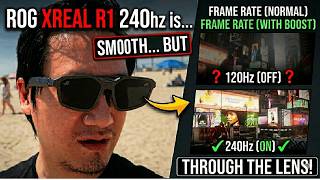
ROG XREAL R1 120Hz vs 240Hz: What's the difference?
3.5K views
ROG's New AR Glasses Just Arrived | Unboxing & Comparison
10.5K views

RayNeo Air 4 Pro vs Premium Competitors - The Results Shocked Me
6.9K views
Best Portable Combo? ONEXGPU Lite eGPU + GPD Win Mini Tested
3.7K views

Wirelessly Connected XR Glasses to My Handheld Gaming PCs (Here's What Happened)
2.2K views
Watch this before buying the Viture Beast if you already have XR Glasses
2.1K views