
How to make advanced Airtable forms, with Fillout
🛍️ Products Mentioned (1)
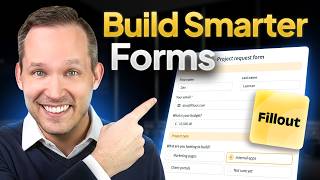
Automatically fill up an Airtable with respondent input. Create new records in Airtable every time someone completes your Fillout form. In this tutorial, we'll show you how you can create forms that automatically populate an Airtable. 🚀 Sign up and check out this feature here: ➡️ https://www.fillout.com/help/airtable =============================== 🐦 - Twitter: https://twitter.com/filloutcom 🤝 - LinkedIn: https://www.linkedin.com/company/fillout 💬 - Support: support@fillout.com =============================== 0:00 - Benefits of using Fillout 0:16 - Intro 0:28 - Overview of sample Airtable 0:47 - Building a Fillout form 1:02 - Connecting form to Airtable 1:21 - Drag and drop synced fields 1:46 - Connecting a new question or changing an existing connection 2:07 - Using display elements 2:17 - Grouping questions 2:33 - Using page logic 3:05 - Setting a condition 3:18 - Viewing connection setup 3:39 - Adding a payment page 3:48 - Customizing the form's design 4:10 - Outro #forms #saas #formbuilder #software #airtable #productivity
🎬 More from Fillout

Build Your Custom Email Integration with Zite
422 views

I Quit My Entire Tech Stack... Here's What I Use Now.
745 views

I Turned Simple Forms Into a Full App in Minutes
893 views

I switched from 93 software subscriptions to 1 ai app, you probably should too
576 views

Getting Started With Zite - Build Better Business Apps
1.7K views
Getting Started with Fillout Forms
5.3K views