
How to embed your form and share it as a link or QR code
🛍️ Products Mentioned (1)
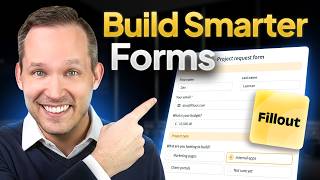
Share your form to your respondents anywhere as a link or QR code. Embed your form on your website and customize its preview. In this tutorial, we'll show the different ways you can share your Fillout form. 🚀 Sign up and check out this feature here: ➡️ https://www.fillout.com/help/sharing =============================== 🐦 - Twitter: https://twitter.com/filloutcom 🤝 - LinkedIn: https://www.linkedin.com/company/fillout 💬 - Support: support@fillout.com =============================== 0:00 - Intro 0:23 - Publishing and sharing the form 0:46 - Customizing the share link 1:35 - Embedding the form 2:00 - Sending the form via email 2:30 - Tracking form responses 2:44 - Sharing the form as a QR code 3:08 - Sending the form as a template 3:27 - Outro #forms #saas #formbuilder #software #embedding #qrcode
🎬 More from Fillout

Build Your Custom Email Integration with Zite
422 views

I Quit My Entire Tech Stack... Here's What I Use Now.
745 views

I Turned Simple Forms Into a Full App in Minutes
893 views

I switched from 93 software subscriptions to 1 ai app, you probably should too
576 views

Getting Started With Zite - Build Better Business Apps
1.7K views
Getting Started with Fillout Forms
5.3K views