
A PRO Docking Station for Triple 4k Monitor Setup || iVanky FusionDock Pro 1+ (Review)
🛍️ Products Mentioned (1)
a pro docking station for triple 4k monitor setup Are you looking to level up your productivity or create the ultimate workstation? In this video, we take a deep dive into the iVANKY FusionDock Pro 1+, a powerful docking station designed for a seamless triple 4K monitor setup. With its sleek design, versatile ports, and impressive compatibility, this pro docking station is perfect for professionals, content creators, and multitaskers alike. Whether you're editing videos, managing multiple applications, or simply seeking a cleaner, more efficient workspace, this device is packed with features to meet your needs. Join me as I put the iVANKY FusionDock Pro 1+ through its paces, showcasing its ability to handle a 4K monitor setup with ease. I'll walk you through the installation process, demonstrate its performance with triple displays, and share why it's a game-changer for anyone looking to optimize their desk space. If you’re searching for a reliable docking station to power your productivity, this review has everything you need to know! I sincerely hope you guys found this video to be somewhat helpful and informative as i aim to bring quality and useful videos to this community. CHEERS! Feel free to leave any questions you might have in the comment section below. Thanks for stopping by and remember to subscribe to the channel to become apart of this growing community as I aim to bring quality content. Link to the iVanky FusionDock Pro 1+👇🏽 https://amzn.to/3BM4J4o Full Transparency for My Audience: 👊HELP TO SUPPORT MY WORK 👊 To keep my channel sustainable I use Amazon Associates and other affiliate links. That means I may earn a small commission if you purchase through my links at no extra cost to you. I appreciate your support and look forward to provide helpful and entertaining videos for you to enjoy 🙏Thank you! 💯 Thanks for your support ;-) ___________________________________________ Connect with me! Follow Me on IG: https://www.instagram.com/dre_anth0ny.h/ Follow Me on Twitter: https://www.twitter.com/Dre_anthonyh ____________________________________________ Business Inquiries: dreanthony.photography@gmail.com #triplemonitor #ivankydock #workspacesetup
About This Video
Frequently Asked Questions
🎬 More from Dre Anthony
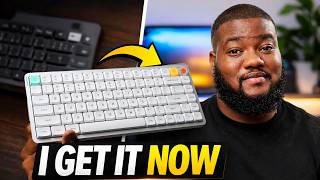
I Tried a Mechanical Keyboard for the First Time...I Cant Go Back (Nuphy Air75 V3 Review)
994 views

Are AirPods Pro 3 Actually Better? My Honest Everyday Experience
3.4K views
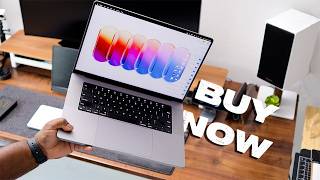
Don't Buy a New MacBook in 2026! Do this Instead...
11.0K views
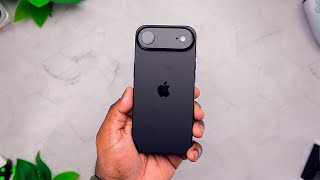
I used the iPhone Air for 120 days - Here's What Surprised Me...
28.3K views
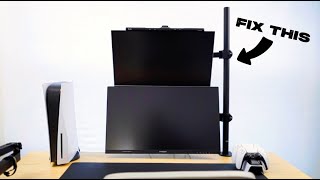
The Best Dual Monitor Arm I’ve Tried...HUANUO Dual Monitor Arm (Review)
1.3K views
Is this tiny gadget smarter than your phone? A Full Day with the Mobvoi Ticnote
358 views