
Transform B&W Photos into Stunning Drawings in Cricut Design Space: Easy Tutorial!
Transform Your Black-and-White Images into Stunning Drawn Art in Cricut Design Space! Are you ready to elevate your crafting skills and breathe life into your black-and-white images? In this captivating tutorial, I will guide you step-by-step on how to convert simple monochrome images into breathtaking, drawn illustrations using the powerful Cricut Design Space! This is more than just a video; it’s an invitation to unleash your creativity and master the art of digital illustration. Why You Should Watch This Tutorial: Cricut Design Space has revolutionized the crafting landscape, allowing you to create intricate designs that truly stand out. Whether you’re a seasoned pro or just starting your crafting journey, this video is designed for crafters of all levels. Here's what you can expect: - Step-by-Step Guidance: Follow along with my easy-to-understand instructions to transform your images. - Expert Techniques: Discover insider tips and tricks that will help you make the most of Cricut Design Space. - Creative Inspiration: Not only will you learn the technical skills, but you'll also gain fresh ideas on how to apply them in your projects—whether it’s for scrapbooking, card making, or other DIY crafts! - Tools & Resources: Learn about the essential tools you’ll need for successful image conversion and crafting. What You’ll Learn in This Video: - The basics of importing black-and-white images into Cricut Design Space. - Techniques to adjust and refine your images for optimal results. - How to use the 'Draw' feature to create beautiful, artistic renderings. - Tips on combining drawn designs with other Cricut projects for added flair. - Ways to personalize your crafts to make them one-of-a-kind. About Your Instructor: Join me, a passionate crafter with years of experience in creative DIY projects, as I guide you through this transformative process. I believe crafting should be accessible and fun, and I aim to empower you to express your unique style! Success Stories from Viewers: Past students have shared their incredible creations, ranging from stunning wall art to personalized gifts. I can’t wait to see what you create after watching this tutorial! Join the Crafting Community: Don't miss out on being part of our vibrant community of crafters. When you like, comment, and subscribe to my channel, you’ll not only enhance your learning experience but also connect with fellow DIY enthusiasts who share your passion for creativity. Enroll in More Tutorials: Interested in taking your crafting skills even further? Be sure to check out my other videos where we explore different techniques like vinyl cutting, heat transfer, and more! Get Your Tools Ready! Before diving in, make sure you have Cricut Design Space installed, along with your cutting machine, and let your creativity flow! Let’s Get Started! Click the link to watch now: [Transform Your Images](https://www.youtube.com/watch?v=EiFZicY3cIU&list=PLPKJQzQRo9UeHbq5DsVsxe2oWhhKtWZ_w) Stay Connected! - My Link Tree: [Link Tree](https://linktr.ee/candoriscreativecrafts) - Email for Collaborations: Candoris48@gmail.com Follow me on social media for more crafting ideas, tips, and inspiration! Hit that notification bell 🔔 to never miss an upload. Let's transform your crafting journey together! #CricutDesignSpace #DrawingTutorial #DIYCrafts #CraftingCommunity #ImageTransformation
🎬 More from Doris Edwards
Cricut Sand Painting Tutorial | Beautiful Textured Designs
1.1K views

Hack - Use Color Images for Sand Art
453 views

Sand Art Gets a CRICUT Upgrade | You Have to See This
1.8K views
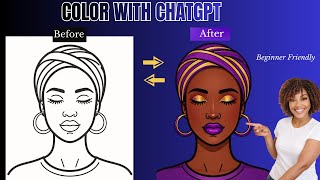
I Used ChatGPT to Color Illustrations and It's Insane
244 views

The Clear Glass Sublimation Method That Never Fails
597 views
This Simple 3D Printed Hanger Connector is a Game Changer
552 views