
This One Trick Makes Expensive Mug Presses Pointless
🛍️ Products Mentioned (1)
In this video, I’m walking you step-by-step through how I sublimate a custom image onto a Make Market coffee mug using A-Sub sublimation paper and ink, printed from my Epson WF-7720, and cured in a convection oven. No mug press required! I’ll show you how I prepare my design, tape and wrap the mug properly, and sublimate it safely in a convection oven for bold, long-lasting results. This method is perfect for beginners, budget crafters, or anyone looking to expand their sublimation setup without investing in extra equipment. If you’re into custom mugs, crafting on a budget, or learning real-world sublimation techniques that actually work, you’re in the right place. 👉 Don’t forget to like, comment, and subscribe for more crafting tutorials, sublimation tips, and creative income ideas. Supplies Used: Epson WF-7720 Printer A-Sub Sublimation Paper & Ink Make Market Sublimation-Ready Coffee Mug Convection Oven - No Tumbler Press Needed Shrink wrap Heat Tape Silicone mug holder Heat Gloves Heat-Resistant Tape Protective Gloves ⚠️ Safety Note: This oven is used for crafting only and not for food. #sublimation #convectionoven #asubpaper My Linktree: https://linktr.ee/candoriscreativecrafts Collaborations: Email me at Candoris48@gmail.com
🎬 More from Doris Edwards

Cricut Sand Painting Tutorial | Beautiful Textured Designs
1.1K views

Hack - Use Color Images for Sand Art
453 views

Sand Art Gets a CRICUT Upgrade | You Have to See This
1.8K views
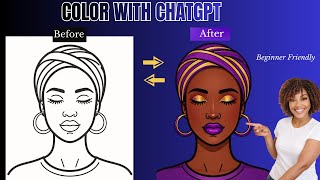
I Used ChatGPT to Color Illustrations and It's Insane
244 views

The Clear Glass Sublimation Method That Never Fails
597 views
This Simple 3D Printed Hanger Connector is a Game Changer
552 views