
How to Make Black History Stickers in Canva & Cut with Silhouette Cameo 4! (Easy Tutorial)
#canva #stickers #silhouettestudio Want to create custom Black History stickers that stand out? 🎨✨ In this step-by-step DIY tutorial, I’ll show you how to design bold, vibrant Black History stickers inside Canva Pro, upload them to Silhouette Studio 5, and turn them into a stunning sticker sheet with a unique Black History design! 🖨️✂️ I’ll be using my HP Officejet Pro 7740 to print the stickers and my Cameo 4 to cut them out perfectly—so whether you’re making stickers for your business, planner, or personal use, this method is beginner-friendly and perfect for crafters! 🔹 What You’ll Learn in This Video: ✔️ How to design stunning Black History stickers in Canva Pro ✔️ How to set up and print your sticker sheet using Silhouette Studio 5 ✔️ How to cut stickers with precision using the Cameo 4 ✔️ Pro tips for crisp prints and clean cuts 📌 Perfect for: Crafters, small business owners, and anyone wanting to celebrate Black History with custom designs! 🔔 Don’t forget to LIKE, COMMENT, and SUBSCRIBE for more creative tutorials! Let me know in the comments what kind of stickers you’d love to see next! 👇🏽🔥 Image Used: https://www.etsy.com/listing/1580749753/golden-beauty-diva-american-girl-png?click_key=3a43b9a43691ded0e9acd53ce17dd35e7719ae2a%3A1580749753&click_sum=7cbf4b54&ref=shop_home_active_4 Linktree: https://amzn.to/4b0NskU Collaborations: Candoris48@gmail.com Tiktok: https://www.tiktok.com/@candoris.creative?lang=en
🎬 More from Doris Edwards

Cricut Sand Painting Tutorial | Beautiful Textured Designs
1.1K views

Hack - Use Color Images for Sand Art
453 views

Sand Art Gets a CRICUT Upgrade | You Have to See This
1.8K views
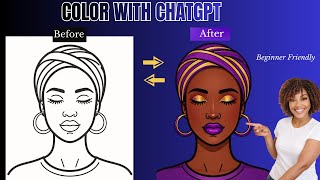
I Used ChatGPT to Color Illustrations and It's Insane
244 views

The Clear Glass Sublimation Method That Never Fails
597 views

This Simple 3D Printed Hanger Connector is a Game Changer
552 views