
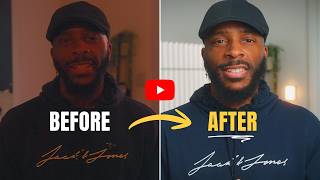
How I Color Grade My Talking Head Shots (Behind The Edit - Ep 01)
🛍️ Products Mentioned (4)
Free Guide - 6 Angles to Improve Your Storytelling
Creator's Command Center — content planning, scripting, filming checklists
1 with a small number of creators each month to help them get clear, get consistent, and start showing up. If that's you here's the link:

Please find ALL my Gear + More here
Welcome to "Behind the Edit" - A series where I break down my actual editing process, step by step. In this episode, I'm showing you my color grading workflow for talking head videos in DaVinci Resolve. This isn't the "perfect" way to color grade. It's just my way. And it works for me. We'll cover: ✅ Converting Slog3 to Rec.709 ✅ Adjusting exposure and contrast ✅ Fixing white balance ✅ Making our Colours Pop ✅ Adding final polish (vignette) If you shoot talking head content and want your footage to look more professional, this one's for you. RESOURCES: 🎯 The Creator's Command Center (Notion Template): https://stan.store/denz_creates/p/the-creators-command-center Plan, organize, and execute your content strategy in one place. 👉 Free Guide - 6 Angles to Improve Your Storytelling: https://stan.store/denz_creates/p/goto-angles-get-your-6shot-guide-now 📹 1:1 Video Strategy Coaching: https://stan.store/denz_creates/p/11-session--personal-brand-video-roadmap- MY GEAR: 🎥 Please find ALL my gear here: https://www.amazon.com/shop/denz_creates/list/1FA1G7EO3ACSK?ref_=cm_sw_r_cp_ud_aip_sf_list_spv_ons_mixed_d_T5KFPA65664KTHYR93SG 📱 CONNECT WITH ME: - Instagram: https://www.instagram.com/denz_creates/ - TikTok: https://www.tiktok.com/@denz_creates - Email: denzbrade@gmail.com Subscribe and let's build something real together. Peace and Love Every Single Time, Denzil #behindtheedit #colorgrading #davinciresolve #videoediting #editingtutorial #talkinhead #contentcreator #videoproduction
🎬 More from Denz Creates
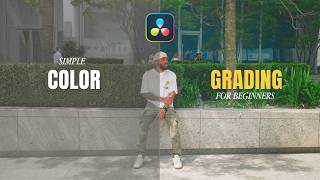
The Color Grade For Beginner Creators (Free Powergrade + LUT)
238 views
How to Make Your Videos Look Cinematic (3 Angles You're Not Using)
965 views
STOP Overthinking Your Content (Instead do this)
646 views
How to Run a Creator Business ALONE (Without Burning Out)
1.6K views
How to LIGHT Your Talking Head Videos
877 views

How to Script a YouTube Video (Step-by-Step for Beginners)
1.9K views