
pocket 3 hidden tips and tricks w/ body effects
🛍️ Products Mentioned (21)
DJI Osmo Pocket 3 link
liinks
Tube Space
product link
Product Link
Product Link
video editing software Lumafusion =
Music =
Tube buddy =
Morningfame =
Paypal
Smartphone = Apple iPhone 15 pro
phone gimbal = DJI Osmo Mobile 6 Gimbal Stabilizer for Smartphones,
FPV drone = DJI Avata Explorer Combo
mirrorless camera = Sony Alpha 6700 – APS-C
Tamron 28-75mm F/2.8

Amazon store
Shutterstock
Me A Coffee
tablet = Apple iPad mini 6
360 camera = Insta360 X3
Welcome to our comprehensive DJI Pocket 3 software tutorial, where we dive deep into the features and functions that make this pocket-sized powerhouse a game-changer for content creators! Whether you're a seasoned pro or just unboxing your new DJI Pocket 3, this video has the tips and tricks you need to elevate your videography skills. DJI Osmo Pocket 3 link https://amzn.to/3vvsCcY 🚀 In this tutorial, we cover: - **Overview of DJI Pocket 3 Software:** A walkthrough of the intuitive interface and essential settings. - **Advanced Shooting Techniques:** Unleash the full potential of your Pocket 3 with expert tips on capturing stunning footage in various scenarios. - **Editing Like a Pro:** Dive into the editing capabilities of the software to give your videos that professional touch. - **Hidden Features and Shortcuts:** Discover the lesser-known features that can take your creativity to new heights. 🎥 Ready to take your content creation to the next level? Hit play and join us on this journey with the DJI Pocket 3! 📌 Hashtags: #DJI #DJIosmoPocket3 #pocket3 🔖 Keywords: DJI Pocket 3, DJI Pocket 3 tutorial, DJI Pocket 3 software, DJI Pocket 3 tips, DJI Pocket 3 tricks, DJI videography, content creation, video editing, DJI Pocket 3 features, cinematic footage, DJI tutorial, DJI software guide, filmmaking tips. Become one of my peeps subscribe Day 1 Adventures https://www.youtube.com/c/Day1Adventures?sub_confirmation=1 Let's Link-up https://liinks.co/day_1_adventures Instagram https://instagram.com/day1_adventures Facebook https://www.facebook.com/Daymon.Warren.Productions X / Twitter https://twitter.com/day1adventure Tube Space https://tubespace.io/day1adventures [ For business inquiries and collaborations contact ] daymon.warren.prod@gmail.com Daymon Warren 500 Delaware Ave Ste 1 # 26494 Wilmington, DE 19899-0009, US PO Box 26494 Wilmington, DE 19899-0009, US #day1adventures If you would like to help support this channel If you care to make a small donation to support me you can do so securely ================support links =========== Buy Me A Coffee: https://www.buymeacoffee.com/day1 -- equipment and software links -- Smartphone = Apple iPhone 15 pro https://amzn.to/43NorV tablet = Apple iPad mini 6 https://amzn.to/3qskZBn phone gimbal = DJI Osmo Mobile 6 Gimbal Stabilizer for Smartphones, https://amzn.to/3R1eKPO Vlog camera = DJI Osmo Pocket 3, Vlogging Camera https://amzn.to/3sL9erf Drone = DJI Mini 4 Pro with remote https://amzn.to/49zc2Zm 360 camera = Insta360 X3 https://amzn.to/3QJrbym FPV drone = DJI Avata Explorer Combo https://amzn.to/47vhVES mirrorless camera = Sony Alpha 6700 – APS-C https://amzn.to/3uj0nNZ Tamron 28-75mm F/2.8 https://amzn.to/42x9AP4 Laptop = Apple MacBook Pro 14” M1 https://amzn.to/42tqltI video editing software for iphone, andriod , Mac and PC Lumafusion = https://luma-touch.com/. Music = https://www.epidemicsound.com/referral/bnltta/ Tube buddy = https://www.tubebuddy.com/daymonwarren Morningfame = https://morningfa.me/invite/9zvr7n4j Paypal: https://paypal.me/Day1Adventures? CashApp: $DaymonWarrenprod Patreon patreon.com/Day1306 Amazon store https://www.amazon.com/shop/day1tech? Shutterstock https://wirestock.io/daymon.warren For business and sponsorship inquiries please email: daymon.warren.prod@gmail.com Subscribe to my channel for more drone content Share this video with your friends and family ================================================= Disclaimer: My video description contains affiliate links, which means that if you click on one of the product links, I’ll receive a small commission. Using my affiliate links doesn't cost you anything and helps me support the channel! :) All views and opinions expressed are solely my own and not associated with any other party. This video is copyright © 2023 by Daymon Warren. All rights reserved. This video may not be reproduced or redistributed in any form without the express written permission of Daymon Warren. Disclaimer: This video is for entertainment purposes only. It is not intended to be a substitute for professional medical advice. If you have any health concerns, please consult a doctor. 00:00 Introduction 00:19 connection tip 01:39 video settings 02:20 body and face special effect 04:03 focus modes 09:14 Transferring and managing files 11:40 Gimbal modes and traking tips
🎬 More from Day1 Tech

Rokid AI style unboxing and review best alternative to meta ray ban?
407 views
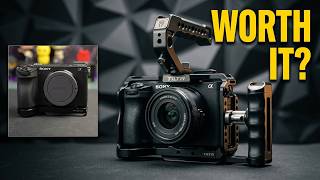
The best camera cage for the Sony A6700 camera, and get it at a discounted price?
72 views
Mac File Organization Secret Apple Doesn't Tell You
121 views
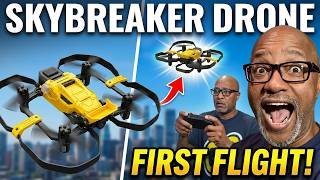
Hisinoy Skybreaker Drone Review + Setup & First Flight
122 views
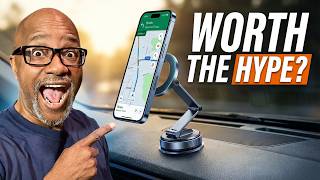
Magnetic Phone Holder Test | Worth the Hype?
674 views

Fitnexa SomniPods 3 Unboxing – Why These Sleep Earbuds Are Different.
42 views