
Power BI ~ Drill Through in Simple Terms | Main Page to Detailed Pages #powerbi #dataanalysis
🛍️ Products Mentioned (5)
Connect with me on LinkedIn - https://www.linkedin.com/in/rohit-grewal Watch in Hindi (on our new channel - IT Courses) : https://youtu.be/eIjLknPvbIE Download Data - https://www.kaggle.com/datasets/rohitgrewal/global-superstore-data Purchase - Python Data Analysis Self Study Notes & All Projects Source Codes (Rs.499 only) - https://rzp.io/l/dslnotes239 Enrol in our Udemy courses : 1. Python Data Analytics 13 Projects - https://www.udemy.com/course/bigdata-analysis-python/?referralCode=F75B5F25D61BD4E5F161 2. Python For Data Science - https://www.udemy.com/course/python-for-data-science-real-time-exercises/?referralCode=9C91F0B8A3F0EB67FE67 3. Numpy For Data Science - https://www.udemy.com/course/python-numpy-exercises/?referralCode=FF9EDB87794FED46CBDF ------------------------------------------------------------------------------------------ In this video, we will see what is Drill Through in Power BI and how to use it with two examples. In Power BI, drillthrough is a powerful feature that allows users to navigate from a high-level summary view on one report page to a more detailed, filtered view on a different report page. How it Works : 1. Source Page: This is the main report page where a user sees high-level visuals (e.g., a bar chart showing sales by region). 2. Target Page: This is the detailed page that you design to show more granular information (e.g., a pie chart showing sales by product category for a particular region). 3. Drillthrough Fields: You define the drillthrough on the target page by adding one or more fields to the "Drillthrough" well in the Visualizations pane. These fields act as the filter context that will be passed from the source page. For example, if your source visual is a chart showing sales by Region, you would add the Region field to the drillthrough well on your target page. ----------------------------------------------------------------------------- You must check our Python - Data Analytics Projects : Project 13 - HR Data Analytics - https://youtu.be/fykrwQD3HR4 Project 12 - AI Market Financial Data Analysis - https://youtu.be/WmJYHz_qn5s Project 11 - Airlines' Flights Data Analysis - https://youtu.be/gu3Ot78j_Gc Project 10 - Spotify-YouTube Data Analysis - https://youtu.be/xqtbBosGMl0 Project 9 - https://youtu.be/dQwnyCEZ-UU Project 8 - https://youtu.be/b7Kd0fLwgO4 Project 7 - https://youtu.be/AO5uhxa1R84 Project 6 - https://youtu.be/e1zKFSrKeLs Project 5 - https://youtu.be/q-Omt6LgRLc Project 4 - https://youtu.be/89eYAAPyRfo Project 3 - https://youtu.be/GyUbo45mVSE Project 2 - https://www.youtube.com/watch?v=fhiUl7f5DnI Project 1 - https://youtu.be/4hYOkHijtNw ------------------------------------------------------------------ Contact Mail Id : datasciencelovers@gmail.com Thanks all ! Don't forget to subscribe to get notifications of next videos.
🎬 More from DATA SCIENCE LOVERS
$25 Cost to Review your Code by "Code Review" | Launched by Anthropic-Claude #claude #anthropic
68 views
Popular Models in Generative AI || Gen AI Masterclass for Beginners #generativeai
104 views
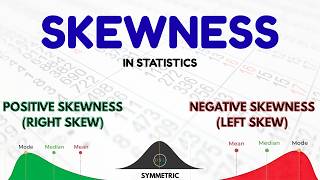
What is Skewness? Statistics for Data Science | Explained with Examples
158 views

AI Impact Summit 2026 | New Delhi, India
100 views
Machine Learning Project - 2 | Loan Approval Prediction using Python | End-to-End ML Project #pyhton
3.8K views

Masai School Review 2026 - IIT/IIM/MIT Programs | Is It Worth ? #masai
435 views