
How to Split Left & Right Stereo Audio Channels in Capcut, Audacity & Davinci Resolve
🛍️ Products Mentioned (1)
I walk you through how to split your audio into left and right channels using three popular tools: Caput, Audacity, and Da Vinci Resolve. Whether you recorded on a DJI mic or any stereo setup, this step-by-step tutorial will show you how to isolate each speaker’s voice for easier editing and professional-quality sound. (This video is NOT sponsored) .. Some product links are affiliate links which means if you buy something we'll receive a small commission. ============================= All Products and Gear Mentioned in this video ============================= DJI MIC MINI - https://amzn.to/41Blzw1 =========================== Connect with me! IG: ➡️ https://www.instagram.com/createwithjay_?igsh=NTc4MTIwNjQ2YQ%3D%3D&utm_source=qr =========================== ⚡️For Support inquiries, or Business inquiries, please go to ytubemoney123@gmail.com ⏰ Timecodes ⏰ 0:00 Intro 00:28 - Capcut Stereo to Mono Channel Splitting 07:46 - Audacity - Stereo to Mono Channel Splitting 10:28 - Davinci Resolve - Stereo to Mono Channel Splitting 18:18 - Recommended Videos
🎬 More from CREATE with JAY

CapCut Editing Tutorial for Beginners: Audio, Video & Text
9 views

Here's WHY it Take SO Long to RECORD & EDIT Microphone Comparison Videos!!! (What No One Tells You)
29 views

Shure MV7 Plus vs RØDE vs DJI Mics — Which One Actually Sounds Best?
67 views

Connect the RodeCaster Video to a Rodecaster Pro 2 for Auto - Switching and Zoom Video Calls
249 views

CapCut Pricing Update April 2026: PC vs Mobile — Which Is Cheaper?
476 views
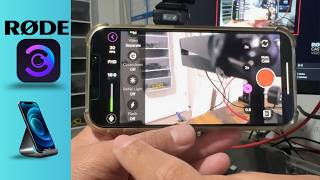
How to Connect a iPhone 15 /16 using Rode Capture to a RODECaster Video S (Step-by-Step)
155 views