
Our Trick to Make Your Subjects Pop off the Screen: Using our Favorite Tool in Lightroom
Want to make your subjects stand out in your photos? In this video, we'll show you how to use the masking tool in Lightroom to create a selective edit and make your subjects pop off the screen. By selectively adjusting the exposure, contrast, and color of certain parts of your image, you can create a dramatic and eye-catching effect in your photos. You won’t believe how easy it is! Don't forget to like, comment, and subscribe to our channel for more tips and insights on how to take your photo editing skills to the next level.
🎬 More from Cole's Classroom - Photography Tips
![[Free Training] Crafting the Perfect Photography Client Experience](https://img.youtube.com/vi/k9FUP9myYT8/mqdefault.jpg)
[Free Training] Crafting the Perfect Photography Client Experience
390 views

My Exact Family Session Posing Flow
4.2K views
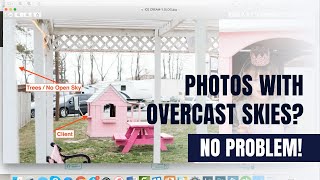
Finding Flattering Light with Overcast Skies
64 views

Expert Tips for Posing Male Seniors
13.8K views

Cole's Super Fast Lightroom White Balance and Skin Tone Fix
609 views

How Distance Impacts Depth of Field in Photography
313 views