
How to Fix the Lightroom Missing Files Error in 30 Seconds
🛍️ Products Mentioned (1)
Are you frustrated with the Lightroom "missing files" error message that appears when you try to edit your photos? Do you want to know how to fix it quickly and easily? Then this video is for you! We'll show you a simple trick that will help you solve the missing files error in just 30 seconds. You'll learn how to locate missing files, how to reconnect them to Lightroom, and how to prevent this error from happening again in the future. We'll also cover common reasons why files go missing in Lightroom, and how to avoid them. Whether you're a beginner or an experienced Lightroom user, this video will give you the skills and knowledge you need to troubleshoot and fix the missing files error in no time, and to continue editing your photos with ease. Don't forget to like, comment, and subscribe to our channel for more tips and insights on how to improve your Lightroom skills. Get Instant Unlimited Access to 358 Courses & Video Lessons in Cole's Classroom Pro + 4 Other Bonuses here for just only $1 - https://cc.colesclassroom.com/cc-pro-trial-with-bonuses?utm_source=YouTube&utm_medium=vid-description
🎬 More from Cole's Classroom - Photography Tips
![[Free Training] Crafting the Perfect Photography Client Experience](https://img.youtube.com/vi/k9FUP9myYT8/mqdefault.jpg)
[Free Training] Crafting the Perfect Photography Client Experience
390 views

My Exact Family Session Posing Flow
4.2K views
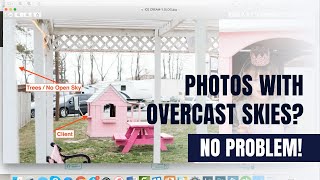
Finding Flattering Light with Overcast Skies
64 views

Expert Tips for Posing Male Seniors
13.8K views

Cole's Super Fast Lightroom White Balance and Skin Tone Fix
609 views

How Distance Impacts Depth of Field in Photography
313 views