
Zoom PodTrak P4 MultiTrack Recording & Uploading to Anchor - This longer version includes gear used
🛍️ Products Mentioned (4)
For Amazon affiliated product links shown in this video, see my pinned comment below. This video contains an extra 15 minutes of footage that covers all the various equipment used for my PodTrak P4 setup shown, such as the microphones used, stands, cables, batteries, etc. If you are not interested in seeing the gear discussed, then either fast forward past the gear section to 18:33 time line for the recording demonstration, or watch the other shorter video instead that has a similar video title as this one. Here's the link to the shorter video minus the equipment review footage: https://www.youtube.com/watch?v=qaiYSLdTK8E In this video I will demonstrate how the Zoom PodTrak P4 records in multi-track for 2 different speaker channels and then process and combine the multi track WAV/MP3 files using the free Audacity audio editing app into a single file for uploading to the Anchor.fm podcast hosting website. Helpful links below that were shown in the video: Audacity audio editing software - free app for Windows & MAC download website Link here: https://www.audacityteam.org/download/ Anchor podcast hosting website to create your own free account Link here: https://anchor.fm/ Audacity software guide – How to use Audacity to record and edit (2020 guide) Link here: https://audacityguide.com/how-to-use-audacity YouTube video: How to combine / merge / join tracks Link here: https://www.youtube.com/watch?v=B1vtntEI5RQ YouTube video: How to Use Audacity 2020 Link here: https://www.youtube.com/watch?v=YUULn71_G74 YouTube video search for: “how to use audacity for better vocals” Link here: https://www.youtube.com/results?search_query=how+to+use+audacity+for+better+vocals Article link for “5 Simple Steps To Make Your Voice Sound Better In Audacity Fast” Link here: https://microphonebasics.com/how-to-make-your-voice-sound-better-in-audacity/?fbclid=IwAR3SMzdPBC-tjn3uLT-vrr16rwugrYVoXPGCJNJvg53fE4InQS6yv3G_F74 This video filmed with the Canon Vixia G60 camcorder in 4K 150 Mbps maximum quality and audio recorded with the Rode Wireless Go wireless lavalier microphone system with the Rode transmitter clipped below my collar. Voice recording into the Zoom PodTrak P4 with the Audio Technica ATR2100x and Shure SM58 XLR microphones were later added in post synch to this video. Key lighting by the Godox SL60 LED light with Phottix Raja 65 softbox and honeycomb grid at 50% brightness output.
🎬 More from Casey On Location (CaseyOnLocation)
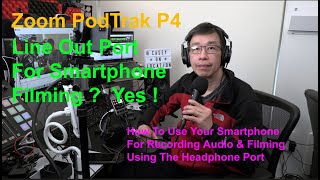
Zoom PodTrak P4 - Line Out Port For Using A Smartphone For Filming & Recording Audio? How To Guide!
8.9K views
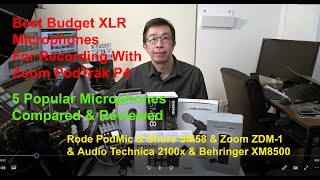
Best Budget XLR Microphones for Zoom PodTrak P4 podcasting-5 Popular Mics Compared With Audio Tests
2.3K views
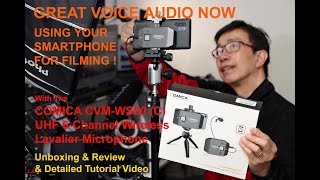
Comica Wireless Lavalier UHF 6-Channel Microphone Review - Great audio with your smartphone! #Comica
741 views
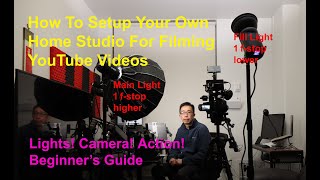
How to setup your home studio for filming YouTube videos - 12 step guide (Detailed Tutorial)
1.1K views
How to get better voice audio using external microphones for filming and making videos!
2.0K views
How to not suck at recording audio using the Zoom PodTrak P4 and Shure SM58 microphone
5.7K views