
Image to Video AI | Make Images Come Alive | Pika Labs | Midjourney v5.2
Have you wanted to try transforming your own photos or AI art images into video? Now you can easily make images come alive with today's Image to Video AI. In this video, I demonstrate both the easiest and most straightforward methods to create videos from your static images with one of today's available and free platforms. Although the images in this video were created with Midjourney v5.2, you may use images from any other AI Art application or your personal photos. Some tools and services we love to use for videos: Image to Video: Pika Labs at pika.art Video editors: Davinci Resolve and Shotcut Talking Avatars: D-ID – www.d-id.com Voiceovers: Amazon Web Services and Davinci Resolve DAW Music: produced with LaunchPad and Remixlive mobile apps (pro versions) 3-D effects for images: Leiapix – convert.leiapix.com This video is about: image to video ai, make images come alive, pika labs, ai, and ai art. Copyright © 2023 by CarlyAI. No Reuse Without Permission 00:00 intro 00:15 image to video sample 1 00:29 image to video sample 2 00:36 image to video sample 3 00:44 images that work best: discussion 01:10 Pika Labs beta getting started 02:07 creating a video using Pika Labs 04:03 Pika Labs robot video result 04:35 start of main examples 04:40 fire-breathing dragon example 05:01 Egyptian princess example 05:17 anime woman in rain example 05:30 campfire example 05:40 motorcycle example 05:54 theme park example 06:05 cats playing guitars example 06:18 time portal example 06:29 ship on stormy sea example
🎬 More from Carly Knows AI
New Kling AI Camera Prompts Supercharge Your Videos
5.1K views

STOP Wasting Time on Other Video Generators, Try THIS!
173 views
New Midjourney Update | Impressive Random Style Generator | AI Art Tutorial
382 views
Midjourney V6 - Master Consistent Styles with New Style Features | AI Art Tutorial
428 views
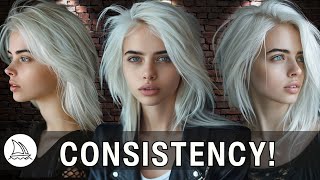
Consistent Characters for Midjourney V6 Finally Here | In-Depth Tutorial
1.1K views

The Essential Styles | Midjourney Styles
934 views