
ThriveCart Pro+ Explained: What’s New & How to Use It (Beginner Tutorial)
🛍️ Products Mentioned (1)
✨ Try ThriveCart: https://lidiaincomingsuccess--checkout.thrivecart.com/thrivecart-standard-account/ If you're selling digital products, online courses, or services and want to boost your sales, simplify your checkout, and unlock next-level features — this is the video for you. In today’s video, I’m walking you through exactly how to use ThriveCart Pro+ with your website (especially if you're using Elementor or WordPress). From creating advanced checkouts to adding multiple order bumps, tracking coupons, accepting USDC payments, and setting up affiliate partnerships — I’ll show you all the Pro+ features in action. 💡 What You'll Learn: How to set up a digital product or course with ThriveCart How to link ThriveCart to your Elementor website How to add multiple order bumps to increase sales How to accept crypto payments (USDC) How to use smart subscription upgrades How to generate checkout QR codes for mobile How to enable tax-inclusive pricing for VAT How to track coupons, affiliates, and predicted revenue And more from the Pro+ upgrade features! #DigitalProducts #ThriveCartTutorial #OnlineCourseTools #ThriveCartProPlus 😎 LET’S CONNECT: Business Inquiries: lidias@incomingsuccess.com INSTAGRAM: https://www.instagram.com/lidia.incomingsuccess * Some links may be Affiliate Links. If you make a purchase through them, I will receive a small commission, at no extra cost for you. Thank you for your support!
🎬 More from Lydia M.

How to Research Highly Profitable POD Items to Sell on Etsy (What’s Selling Right Now)
6.6K views

Start a Printify Clothing Brand + Market It with Short-Form Content
2.1K views

How to Find the Best Digital Products to Sell on Etsy (ft. EverBee)
1.7K views
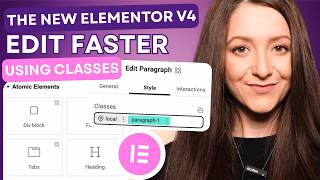
How to Use the New Elementor V4 + Edit Faster with Classes in WordPress
9.4K views

Printify + Shopify Tutorial: How to Start a POD Brand Step by Step
10.1K views

5 Short Content Ideas You Can Create with AI and Actually POST on Social Media
10.9K views