
Master High-Quality Videos: Lighting Fixes, Portrait Enhancements & Pro Tips!
Try Uniconverter AI now: https://shareasale.com/r.cfm?b=2692220&u=2240989&m=44487&urllink=&afftrack= Struggling to achieve high-quality videos for your projects? Whether you're dealing with poor lighting or trying to enhance portrait shots, this video has you covered! Learn how to improve your video quality with practical tips and tools, including portrait enhancement and adjustments for dimly lit footage. In this video, we’ll walk you through: 🔥 How to adjust video quality when the lighting is dim for professional results. 🔥 Portrait enhancement tips for sharper and more vibrant facial details. 🔥 Tools and settings to elevate the overall quality of your videos. 🔥 Bonus tricks to optimize videos for YouTube, social media, and professional use. 🔥 Special highlights include lighting adjustments and AI-driven enhancements to take your video quality to the next level. Whether you're a content creator or a beginner, these techniques will help you create stunning, high-quality videos in any environment. 😎 LET’S CONNECT: Business Inquiries: lidias@incomingsuccess.com INSTAGRAM: https://www.instagram.com/lidia.incomingsuccess * Some links may be Affiliate Links. If you make a purchase through them, I will receive a small commission, at no extra cost for you. Thank you for your support! #wondershareuniconverter #uniconverter16 #videoediting
🎬 More from Lydia M.

How to Research Highly Profitable POD Items to Sell on Etsy (What’s Selling Right Now)
6.6K views

Start a Printify Clothing Brand + Market It with Short-Form Content
2.1K views

How to Find the Best Digital Products to Sell on Etsy (ft. EverBee)
1.7K views
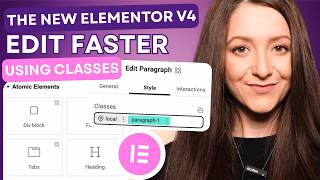
How to Use the New Elementor V4 + Edit Faster with Classes in WordPress
9.4K views

Printify + Shopify Tutorial: How to Start a POD Brand Step by Step
10.1K views

5 Short Content Ideas You Can Create with AI and Actually POST on Social Media
10.9K views