
Outschool Lesson Walk Through: How I Use Share Screen for Interactive & Engaging Lessons
🛍️ Products Mentioned (5)



WEBSITE: www.helloteachermaryann.com OUTSCHOOL: Get my OUTSCHOOL freebie here: (Think-Through Guide to Creating Outschool Classes): https://helloteachermaryann.ck.page/6e0fb9c04a Become an Outschool Teacher: https://outschool.com/teach?signup=true&usid=Khh0xOrD&utm_campaign=share_invite_link&teacherReferral=true Sign your child up for Outschool classes: https://outschool.com/?signup=true&usid=Khh0xOrD&utm_campaign=share_invite_link My Outschool profile: https://outschool.com/teachers/Mary-Ann-Purvis-Byrd?usid=Khh0xOrD&signup=true&authTrigger=follow_teacher&follow=true&utm_campaign=share_leader_link Support for interested or approved Outschool Teachers: https://www.facebook.com/groups/OutschoolTeacherVillage/ We offer once a week coaching via Zoom as well as FB LIVES to answer your questions! VIPKID: Become a VIPKid Teacher: https://www.vipkid.com/mkt/landing/personal?referralToken=857a61fc28209e95d99bfbe227e0cfbb&refereeId=13987199 Use my VIPKid referral code: MARY00306 Request my free online classroom setup guide: www.helloteachermaryann.com Let’s Get Social: Facebook: https://www.facebook.com/onlineteachermaryann Instagram: @helloteachermaryann My YouTube Channel: https://www.youtube.com/channel/UCWhNPh6RDWaCHWFTyPHwrgA?sub_confirmation=1 https://youtu.be/sLeJbMTfeww
About This Video
Frequently Asked Questions
🎬 More from MaryAnn Byrd
Teachers, you are on my heart. I’ve got something you need. Promise. ❤️
26 views

What is helping me make the right choices and be my best self!?!!
75 views
A Day in the Life on Bravenly Supplements
559 views
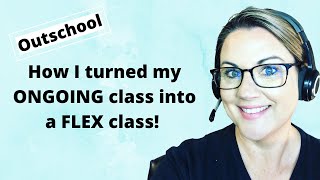
Turning My Outschool Ongoing Class into a FLEX Class
2.5K views
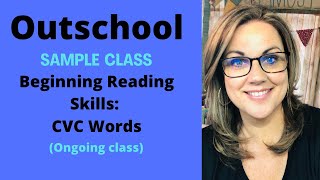
Outschool Sample Class: My Ongoing Beginning Reading Class
4.3K views

Outschool Ongoing Class: Answering Your Questions!
1.4K views