
How to Build a Complete SMM Panel Using Supabase | Admin + User Dashboard (Full Tutorial)
🛍️ Products Mentioned (1)
How to Build a Complete SMM Panel Using Supabase | Admin + User Dashboard (Full Tutorial) SMM Panel :- https://www.youtube.com/c/Boxput?sub_confirmation=1 🔗 prompt link: https://t.me/boxput_official This step-by-step tutorial shows you how to build a complete SMM Panel using Supabase. In this video, you will learn how to create both Admin and User Dashboards, add login/signup, order system, balance management, and admin controls. The best part is that you can build everything without complex backend coding. This tutorial is perfect for beginners who want to create powerful web apps using modern tools. ▬▬▬▬▬▬▬▬▬▬▬▬▬▬▬▬ Make Mobile Apps & Website with AI :- https://www.youtube.com/playlist?list=PLhhCdCHZz04_jz9jBDU6Rq0_jeX9-FzcB Build Android Apps Using AI :- https://www.youtube.com/playlist?list=PLhhCdCHZz048TIg99bBHoRBVnuvkYB00Q Make Website Using AI :- https://www.youtube.com/playlist?list=PLhhCdCHZz049R1d9uIHncO6vrf-JVoxUu AdSense & AdMob & Monetization :- https://www.youtube.com/playlist?list=PLhhCdCHZz04_Nd1noWchhGKfhSbwqCHzE Crypto & Bank & Payment :- https://www.youtube.com/playlist?list=PLhhCdCHZz048HqtXO2aw_GclyM9ClhvX1 INSTAGRAM PROBLEM QUICK SOLUTION :- https://www.youtube.com/playlist?list=PLhhCdCHZz049fI0lM3Ikp9RL1v8LkdR0C SOCIAL MEDIA PROBLEM QUICK SOLUTION :- https://www.youtube.com/playlist?list=PLhhCdCHZz049bHNdDZmpjFmqmOt_I6mva ▬▬▬▬▬▬▬▬▬▬▬▬▬▬▬▬ 📲 Connect with Me Telegram Channel- https://t.me/boxput_official WhatsApp- https://chat.whatsapp.com/IzJyQ3TYCXT6t5SZLsGf4R Telegram Group - https://t.me/boxputtofficial ▬▬▬▬▬▬▬▬▬▬▬▬▬▬▬▬▬▬▬▬▬▬ 𝐇𝐀𝐒𝐇𝐓𝐀𝐆▶️ #boxput ◀️ #smmpanel #supabase #webdevelopment #aitools #nocode #saas #tech #dashboard #codingtutorial #aitutorial ▬▬▬▬▬▬▬▬▬▬▬▬▬▬▬▬▬▬▬▬▬▬ ➡Created By: Rahul Sharma: Business Email: boxputt@gmail.com Twitter: https://twitter.com/boxput1 Instagram: https://www.instagram.com/boxput/ ▬▬▬▬▬▬▬▬▬▬▬▬▬▬▬▬ FAIR USE DISCLAIMER: All materials in these videos are TRANSFORMATIVE and are used for educational purposes and fall within the guidelines of fair use. No copyright infringement intended. If you are or represent the copyright owner of materials used in this video and have a problem with the use of said material, please send me an email, Boxputt@GMAIL.COM. ▬▬▬▬▬▬▬▬▬▬▬ AFFILIATE DISCLOSURE: This video and description may contain affiliate links, which means that if you click on one of the product links, I’ll receive a small commission. I won't put anything here that I haven't verified and/or personally used myself.
About This Video
Frequently Asked Questions
🎬 More from Boxput !

Create a Professional Job Board Website with AI and Google Sheets Backend
241 views

Create a Video Streaming Web App Template Like Netflix Using AI (With Admin Panel)
448 views

How to Rank a Website using AI + Expired Domain (Step by Step)
419 views

One Prompt = Full Tournament App 🤯 | Build Using AI on Mobile (No PC)
1.2K views
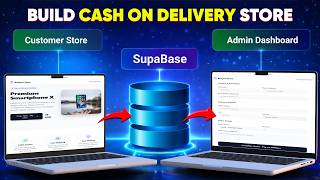
Build a Cash on Delivery Store with Google AI Studio + Supabase
1.0K views

Make $300 Websites with Google AI Studio for Local Businesses
808 views