
AI Post-Processing in Adobe Camera RAW & Photoshop | Bild Expo 2025
🛍️ Products Mentioned (3)
Want an easier and faster way to edit any distractions in your image? Photographer, Kevin Ames, shows how the different AI tools in Adobe Camera RAW & Photoshop can help shorten your editing time. Sponsored by Dell Want more Bild Expo? Watch our playlist ➡️ https://www.youtube.com/playlist?list=PLzQOzWdTY-z9DCtyVPiEk-oz5JNVChpQA If you're just interested in the Photo Editing stage, we have a playlist for that too ➡️ https://www.youtube.com/playlist?list=PLzQOzWdTY-z9i6tjgxIrCasRb7GoTzy-r More from Kevin Ames: -http://kevinamesphotography.com/ 0:00 Intro 1:15 Adobe Camera RAW 2:38 Sidecar file (.ACR) 4:08 Basic color correcting 8:40 Color correcting in Camera RAW 12:16 Basic masking 12:45 Q&A break 23:50 Masking in Camera RAW 27:42 Generative expand 29:30 Resetting RAW file 30:20 Remove tools 33:50 Find distractions tool 35:25 Removing power lines 38:54 Generative fill 42:35 Remove background 45:46 Q&A / Closing Learn more about the B&H Event Space: http://bhpho.to/BHEventSpace Head to the main B&H Photo YouTube Channel! https://www.youtube.com/c/BandH Learn audio on our Pro Audio Channel: https://www.youtube.com/@BHProAudio Shop @ B&H: https://www.bhphotovideo.com/ Follow us on Social Media - https://www.instagram.com/bhphoto/ - https://twitter.com/bhphotodaily - https://www.facebook.com/bheventspace/ #BHBildExpo #BildExpo #PhotoEditing
🎬 More from B&H Event Space
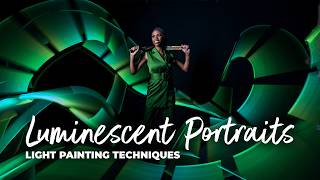
Creating Luminescent Portraits: Light Painting Techniques with Susan Magnano
228 views
Intro to Grip Equipment | Hosted by Impact
715 views
Adobe Lightroom Workflow: From Lost to Legacy | Part 3 With Cliff Pickett
1.1K views

Photographing Birds in the Everglades
585 views
One Light Really IS Enough | With Ian Spanier
7.9K views
Adobe Lightroom Workflow: The Art of the Edit | Part 2 with Cliff Pickett
2.1K views