
I Replaced My Kitchen Clock With a Raspberry Pi
🛍️ Products Mentioned (32)
STL files for the Wisecoco display case
Wisecoco HDMI display
Micro HDMI to HDMI adapter for Wiseicoco option
As seen on Hackster
Discord Product
Mac Studio
Mac Studio dock
Mac Book Pro
Camera
Camera Remote
Gimbal Camera
Wireless Microphones
Mic Charging Case
Lavier
Tripod
Carbon Fiber Tripod
Teleprompter
Color Checker
LED Video Light
Amazon Product
Heavy Duty Light Stand
GitHub
STL files for the SCXryllexa display case
Raspberry Pi 4
Raspberry Pi 5
Raspberry Pi Power Supply
SCXryllexa HDMI Touch Display
Micro HDMI to HDMI adapter for SCXryllexia screen
3D Printer
filament
For a one time purchase you can buy the icons and backgrounds here
Amazon Product
I replaced my old under-cabinet kitchen clock with a DIY Raspberry Pi smart display that shows the time and weather at a glance. Here’s how to build your own under-cabinet Raspberry Pi clock and weather display. When I bought my house, it came with one of those under-cabinet radio clocks that somehow survived the early 2000s. It technically worked… until power outages and daylight saving time reminded me it absolutely did not. So I replaced it with something better. This DIY smart home display runs on a Raspberry Pi, uses an affordable ultra-wide screen, and is designed to live under a cabinet so it’s always visible but never in the way. No touchscreen. No voice assistant. No app. Just the time and weather when you glance up. The best part? You can build one too. This project uses a simple install script, a 3D-printed case, and modular weather icons and backgrounds so you can customize the look to match your space. It supports both Raspberry Pi OS Bookworm and Trixie. 🔧 Project Files & Guide GitHub: https://github.com/Canterrain/weather-display STL files for the Wisecoco display case: https://makerworld.com/en/models/2394718-under-cabinet-weather-clock-case#profileId-2623970 STL files for the SCXryllexa display case: https://makerworld.com/en/models/2483526-under-cabinet-weather-clock-case-other-display 🛠 Parts Used - Raspberry Pi 4: https://seeedtechnologycoltd.sjv.io/B55jrB (affiliate) - or - Raspberry Pi 5: https://seeedtechnologycoltd.sjv.io/n44aGV (affiliate) - Raspberry Pi Power Supply: https://amzn.to/3MvrPBF (affiliate) - Wisecoco HDMI display: https://amzn.to/4cuofSN (affiliate) -- Micro HDMI to HDMI adapter for Wiseicoco option: https://amzn.to/3ZyFOJZ (affiliate) Note: the Display comes with the microUSB and HDMI cable you need. EDIT FURTHER NOTE: I've had lots of reports of the Wisecoco screen arriving defective, which really sucks. The following is an alternative touchscreen with slightly different dimensions that is confirmed as working. I've created an alternative 3D print for to fit it as well. - SCXryllexa HDMI Touch Display: https://amzn.to/3MJLldR (affiliate) - Micro HDMI to HDMI adapter for SCXryllexia screen: https://amzn.to/3N53Vgs (affiliate) - 3D Printer: https://amzn.to/4aAA6xq (affiliate) - filament: https://amzn.to/4tArbn9 (affiliate) Notes on potential Raspberry Pi options: Raspberry Pi Zero 2 W (Bookworm only, 64-bit recommended) - Not recommended for Trixie (Wayland) - Requires a different HDMI adapter and a dedicated power supply for the display Raspberry Pi 3B ((Bookworm only, 64-bit recommended) - Probably will run, probably will be sluggish 🎨 Icon Packs & Backgrounds Patreon and YouTube channel members get the extra icons for free! For a one time purchase you can buy the icons and backgrounds here: https://www.patreon.com/posts/diy-under-clock-150710354 This video covers a DIY Raspberry Pi clock, under-cabinet smart display, Raspberry Pi weather display, smart home dashboard, and a wall-mounted or cabinet-mounted clock project you can build yourself. If you build one, I’d love to see it — tag me or share photos in the comments! Subscribe for more practical DIY tech and smart home projects. As seen on Hackster: https://www.hackster.io/news/josh-hendrickson-s-old-under-cabinet-radio-gets-replaced-by-a-raspberry-pi-powered-weather-display-aa302ea1ca85 Support my channel! Amazon.com - https://amzn.to/4nRIUUK (Affiliate) Join my discord: https://discord.gg/g97bYuk5Vv The products I use to make videos: Mac Studio: https://amzn.to/49O053W (affiliate) Mac Studio dock: https://amzn.to/3BbRxoC (affiliate) Mac Book Pro: https://amzn.to/3Wkq240 (affiliate) Camera: https://amzn.to/3XuhmcG (affiliate) Camera Remote: https://amzn.to/3RAqrwP (affiliate) Gimbal Camera: https://amzn.to/3XVW6fC (affiliate) Wireless Microphones: https://amzn.to/3xnQe4t (affiliate) Mic Charging Case: https://amzn.to/3C2cJ1p (affiliate) Lavier: https://amzn.to/3ze2LrD (affiliate) Tripod: https://amzn.to/4c0Y4jF (affiliate) Carbon Fiber Tripod: https://amzn.to/4c3JuHY (affiliate) Teleprompter: https://amzn.to/3Vv5ZPe (affiliate) Color Checker: https://amzn.to/3WmXib1 (affiliate) LED Video Light: https://amzn.to/42jCgOb (affiliate)Lantern Softbox: https://amzn.to/4g43sDG (affiliate) Heavy Duty Light Stand: https://amzn.to/3DZIkRS (affiliate) Join this channel to get access to perks: https://www.youtube.com/channel/UC0cCwNAtOCfDrghDFx0Jqlw/join
🎬 More from Anoraker

This E-Reader Runs Doom But That’s Not The Interesting Part
835 views

I Found a Better Ryobi Electric Riding Lawn Mower Lithium Conversion
744 views
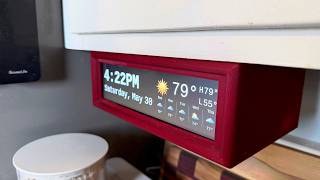
I Fixed My Biggest Raspberry Pi Clock Regrets
3.9K views
Why I Replaced My Paper Planner With This DIY E-Ink Display
975 views

I wore Smart Glasses for 4 months … here's the problem
5.5K views
This Smart Dog Door Solves One Problem But Creates Another
1.4K views