
Photoshop Tutorial - Create Cinematic Color Grading Like Movie Posters
🛍️ Products Mentioned (4)
Learn how to create stunning cinematic color tone effects in Photoshop, perfect for replicating the look of movie posters. In this tutorial, I'll guide you through the steps to achieve a professional and dramatic color grading effect. Perfect for beginners and photo manipulation enthusiasts. Watch now and level up your Photoshop skills Project Files : https://mega.nz/folder/TAhX3LKD#0ikRXWunBqSXRvzFaPPT9Q Looking for custom cover, poster designs, or more? We’re available for commissions 📱 WhatsApp: https://wa.me/6282244617975 📩 Instagram: https://www.instagram.com/andhikazanuar 📧 Email: andhikazanuar@gmail.com 🌐 Our Services: https://www.zanuara.com Tell me in the comments what design you want next! Like & subscribe to keep up with more awesome Photoshop tricks. Click 'Join' to support! BGM: Track: Monogatari — Zackross [Audio Library Release] Music provided by Audio Library Plus Free Download / Stream: https://alplus.io/monogatari
🎬 More from Andhika Zanuar
Dark Basketball T-Shirt Design | Photoshop Tutorial
217 views
How to Create a Fantasy Bear on the Moon | Photoshop for Beginners
482 views
Dark Surreal T-Shirt Design - Apocalyptic Concept | Photoshop Tutorial
327 views
Make PERFECT PNG Cutouts in Photoshop (No Jagged Edges!)
584 views

Turn Any Photo Into a Cinematic Masterpiece | Photoshop Color Grading Tutorial
368 views
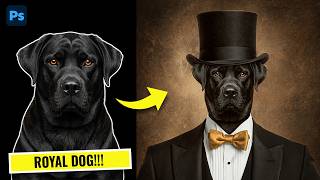
How to Create a Royal Dog Portrait in Photoshop (Classy Manipulation)
483 views