
How to Make a Stylized Vector Art Digital Illustration with ChatGPT + Photoshop
🛍️ Products Mentioned (4)
In this tutorial, I’ll guide you step by step on creating bold geometric shapes, flat color blocks, and cinematic poster-art lighting with AI prompts in ChatGPT, then refine and enhance the result in Photoshop for a polished professional look. Web: https://chatgpt.com/ PROMPT: Convert this photo into a highly stylized vector art digital illustration. Use bold geometric shapes, sharp edges, and flat color blocks with minimal gradients. Focus on clean lines, cinematic lighting, and a modern poster-art aesthetic. Enhance shadows and highlights for depth, but keep the textures minimal. Maintain the person’s identity and facial features recognizable while stylizing the details. Use a harmonious, vibrant color palette, with high contrast and a polished artistic look. Inspired by contemporary vector illustration, digital painting, and graphic novel aesthetics. Ultra-detailed, high resolution, professional finish Project Files : https://mega.nz/folder/LUwhDRAA#itO7zg6izkA_QpuJzkIwZg Looking for custom cover, poster designs, or more? We’re available for commissions 📱 WhatsApp: https://wa.me/6282244617975 📩 Instagram: https://www.instagram.com/andhikazanuar 📧 Email: andhikazanuar@gmail.com 🌐 Our Services: https://www.zanuara.com Tell me in the comments what design you want next! Like & subscribe to keep up with more awesome Photoshop tricks. Click 'Join' to support!
🎬 More from Andhika Zanuar
Dark Basketball T-Shirt Design | Photoshop Tutorial
217 views
How to Create a Fantasy Bear on the Moon | Photoshop for Beginners
482 views
Dark Surreal T-Shirt Design - Apocalyptic Concept | Photoshop Tutorial
327 views
Make PERFECT PNG Cutouts in Photoshop (No Jagged Edges!)
584 views
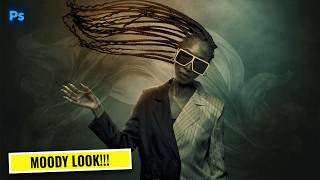
Turn Any Photo Into a Cinematic Masterpiece | Photoshop Color Grading Tutorial
368 views
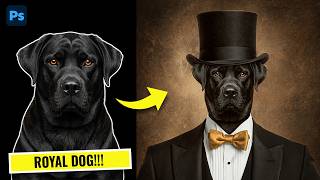
How to Create a Royal Dog Portrait in Photoshop (Classy Manipulation)
483 views